
Introduction: The Design Workload Has Changed. Most Workflows Haven’t.
The job description for graphic designers hasn’t changed in the last five years. The workload has.
A campaign that used to require 8 design assets now requires 40. A single product launch needs not just a website and a brochure — it needs Instagram carousels, YouTube thumbnails, LinkedIn graphics, email headers, short-form video assets, and paid ad variations across three platforms. Every week.
That’s not a creativity problem. It’s a throughput problem. And most designer workflows are still built for a world where the content surface area was a fraction of what it is today.
This is where AI tools for graphic designers have moved from “interesting to explore” to “operationally necessary” in 2026.
I’ve spent significant time testing these tools across real workflows — brand identity projects, social media retainer work, editorial design, and UI/UX prototyping. What follows isn’t a rundown of features pulled from product pages. It’s an honest account of which tools actually earn their place in a professional workflow and which ones look better in a demo than they perform on deadline.
Let’s get into it.
What Are AI Tools for Graphic Designers?
According to HubSpot, AI-powered tools are helping marketing and creative teams scale content production without increasing team size.
AI tools for graphic designers are software platforms that use machine learning, generative AI, and computer vision to automate, accelerate, or enhance specific phases of the visual creative process.
The category covers an enormous range. At one end: single-purpose tools like background removers and image upscalers that handle specific, well-defined tasks invisibly. At the other: generative systems that create original visual content from text descriptions — fundamentally changing how designers approach concepting and ideation.
What separates genuinely useful AI design tools from novelty features is whether they fit into professional workflows without forcing designers to restructure how they work or sacrifice quality control.
According to McKinsey’s research on AI adoption in creative industries, creative and design professionals report 20–40% time savings on core production tasks — but only when tools are integrated thoughtfully rather than used experimentally. That qualification matters enormously. A tool that saves 3 hours but introduces 2 hours of prompt iteration and post-processing isn’t actually saving time.
The tools reviewed below pass that test in real workflows.
Types of AI Tools for Creative Professionals
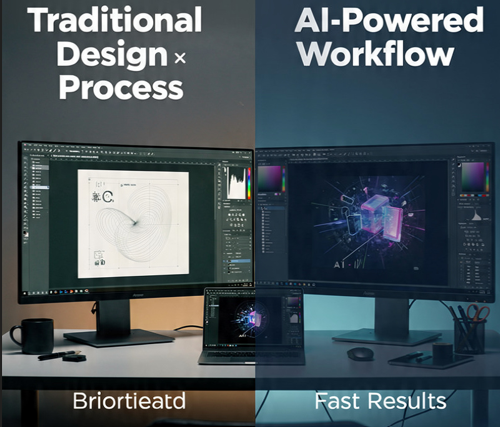
Understanding the four primary categories helps you match tools to actual workflow needs rather than buying capabilities you won’t use:
Image Generation Tools
Create original visual content from text prompts or reference images. Used for hero imagery, concept art, mood boards, editorial illustrations, and social assets. Key examples: Midjourney, Adobe Firefly, DALL·E 3.
AI-Powered Design Platforms
Full design environments with AI features embedded — layout generation, brand consistency enforcement, background removal, copy generation. Key example: Canva AI.
Branding & Logo Tools
Generate logo concepts, brand color palettes, typography combinations, and complete brand identity kits from business descriptions. Key example: Looka.
UI/UX Design Tools
Accelerate interface design through AI-generated layouts, component suggestions, auto-layout, and design-system consistency. Key example: Figma AI.
Most professional workflows in 2026 draw from two or three of these categories simultaneously — which is why the combination of tools matters as much as any individual choice.
Best AI Tools for Graphic Designers (2026) — Tested Reviews
1. Canva AI — Best All-in-One Platform for High-Volume Brand Content
Overview:
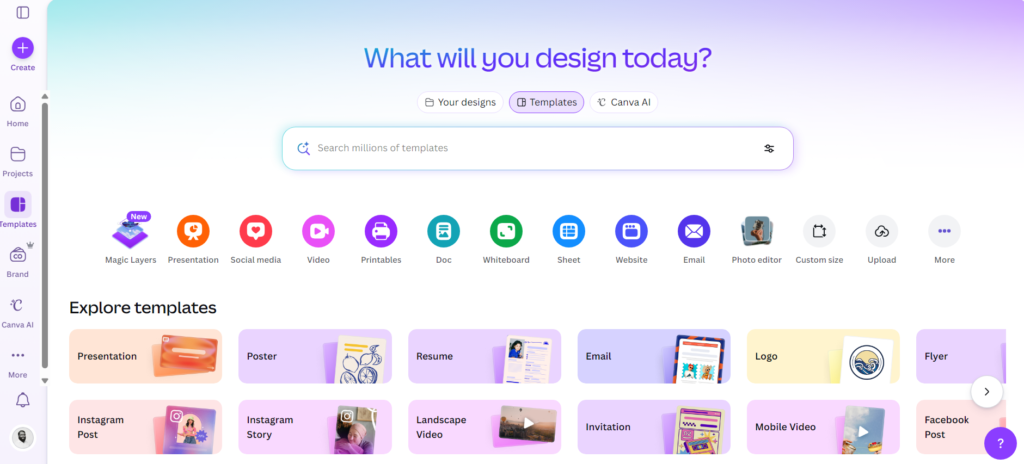
Canva started as a template tool for non-designers and has evolved into a genuinely capable AI design platform that professional designers use for high-volume production work. The critical differentiator from other AI design tools is integration — Magic Design, Magic Edit, Brand Kit AI, and Text-to-Image all work inside the same design canvas, eliminating the context-switching that kills workflow efficiency.
Key Features:
- Magic Design — Generate complete branded layouts from a text prompt or uploaded image
- Magic Edit — Edit specific image regions using plain-language instructions (add, remove, replace elements)
- Background Remover — One-click professional-quality background removal on photos
- Brand Kit AI — Consistent colors, fonts, and logo placement enforced automatically across all assets
- Text-to-Image — Custom image generation without leaving the design environment
- Magic Write — AI copywriting integrated directly into design layouts
Real Use Cases:
- Producing 25–40 branded social media posts per week across multiple client accounts
- Marketing teams maintaining brand consistency without requiring every team member to be design-trained
- Rapid event graphic production — social banners, email headers, presentation decks — under tight turnaround
Pros:
- Brand Kit system is genuinely excellent for multi-client and multi-campaign environments
- No additional learning curve for designers already familiar with web-based design interfaces
- Real-time collaboration works reliably for distributed teams
- Generous free tier for testing before committing to Pro
Cons:
- AI image generation quality lags behind Midjourney for artistic and editorial work
- Template-heavy nature can limit visual distinctiveness for brands needing original creative
- Some AI features require Canva Pro ($13/month)
- Not a substitute for Illustrator or Photoshop in complex or print production workflows
Best For: Designers managing high-volume client content, marketing teams maintaining brand consistency, content creators producing professional visuals without advanced design software expertise.
🔍 In Real Workflows: In a 6-month retainer producing 30 social assets per week across 4 client brands, Canva AI’s Brand Kit system reduced per-asset production time by approximately 55% — while maintaining brand compliance without creative director sign-off on every output. The time saving is real and concentrated in the production layer, not the creative layer.
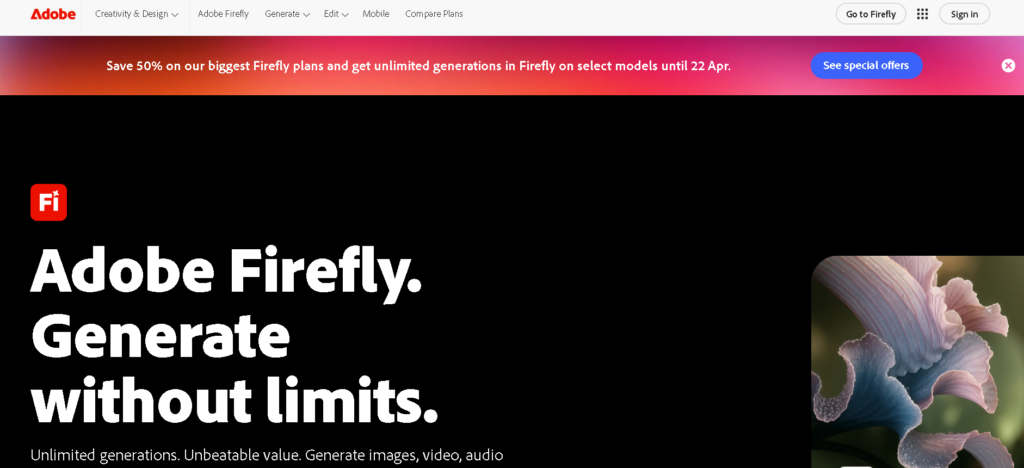
2. Adobe Firefly — Best for Professional Production in the Creative Cloud Ecosystem
Overview:
Adobe Firefly is the most professionally defensible AI tool for graphic designers on this list. Its commercial safety model is transparent — Firefly is trained exclusively on Adobe Stock licensed content and public domain material, making outputs commercially safe for client work in a way that tools with opaque training data cannot guarantee.
For designers already inside Creative Cloud, Firefly is the most seamless integration available. Generative Fill in Photoshop and Text-to-Vector in Illustrator function as natural extensions of tools you’re already using — not separate applications requiring a workflow shift.
Key Features:
- Generative Fill (Photoshop) — Add, remove, or replace image elements with text prompts at exceptional compositional precision
- Generative Expand — Extend canvas boundaries while maintaining photorealistic visual continuity
- Text-to-Vector (Illustrator) — Generate scalable vector artwork directly from text descriptions
- Text Effects — AI-generated typography textures and graphic styles
- Recolor (Illustrator) — Intelligent recoloring of complex vector artwork across hundreds of variations instantly
- Generative Match — Create new content stylistically consistent with a reference image
Real Use Cases:
- Retouching and compositing complex product photography for advertising campaigns without reshoots
- Adapting horizontal campaign photography to vertical social formats without losing compositional integrity
- Creating custom vector illustrations for brand work directly inside Illustrator
- Rapid visual concept exploration during early-stage campaign ideation
Pros:
- Generative Fill is best-in-class for professional photo compositing and retouching
- Commercially safe outputs — critical for agency and enterprise client work
- No workflow disruption for designers already using Photoshop and Illustrator daily
- Meaningful quality improvements through consistent Creative Cloud update cadence
Cons:
- Full capability requires a Creative Cloud subscription — significant cost if not already subscribed
- Text-to-image quality for complex stylistic requests trails Midjourney
- Computationally demanding on older or less powerful hardware
- Firefly standalone web app is noticeably less capable than the embedded CC versions
Best For: Professional designers, retouchers, and photographers already inside the Adobe Creative Cloud ecosystem who need commercially safe AI-powered editing and generation for client production work.
🔍 In Real Workflows: Generative Expand has become the most-used Firefly feature in professional client work — specifically for adapting campaign photography to multiple social formats without reshooting. Adapting a horizontal hero image to 9:16 for Instagram Stories used to require a reshoot or visible compositional compromise. Firefly handles it convincingly in 2–3 minutes. That single capability alone justifies the tool’s integration for retouching-heavy workflows.
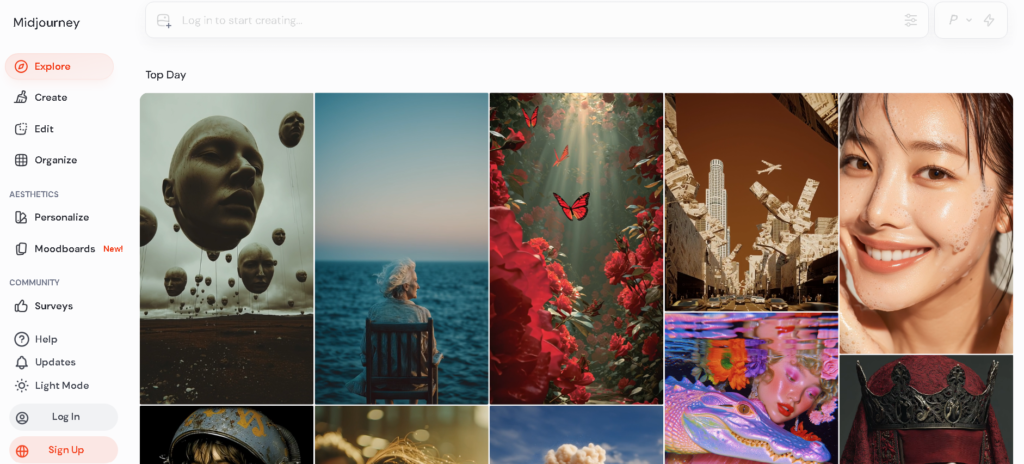
3. Midjourney — Best for Creative Concepting and Art Direction
Overview:
For creative concepting and visual ideation, Midjourney produces the highest-quality AI-generated imagery available — by a meaningful margin. Its outputs consistently demonstrate compositional sophistication, stylistic depth, and artistic range that other image generation tools haven’t matched.
The learning investment is real. Effective prompting in Midjourney requires time to develop. But for designers who make that investment, it becomes an extraordinarily powerful concepting partner that compresses what used to be days of mood board and concept development into hours.
Key Features:
- Industry-leading photorealistic and artistic image generation from text prompts
- Style Reference system — maintain consistent visual aesthetic across multiple generations
- Character Reference — consistent character appearance across an entire project
- Image-to-image prompting — use existing images as compositional or stylistic references
- Inpainting — edit specific regions of generated images
- Granular aspect ratio and resolution control for production dimensions
Real Use Cases:
- Creative directors generating 30–40 visual directions for a campaign pitch in a single session
- Art directors producing custom hero imagery without stock photography sourcing
- Brand designers rapidly exploring visual identity directions before committing to hand-crafted execution
- Illustrators using generated imagery as compositional reference for finished digital work
Pros:
- Highest output quality of any image generation tool — especially for artistic, editorial, and campaign applications
- Exceptional stylistic range — photorealism, illustration, architecture, product, abstract, editorial
- Active community provides extensive prompting resources and style references
- Outstanding value relative to output quality at the price point
Cons:
- Steeper prompt learning curve than more accessible tools
- Commercial IP status remains legally nuanced — verify for client work in regulated industries
- Less precise control than traditional illustration tools for exact technical specifications
- Discord-based primary interface adds friction for designers unfamiliar with that environment
Best For: Creative directors, art directors, senior brand designers, and concept artists who need the highest-quality visual concepting and art direction for campaigns, pitches, and editorial projects — and are willing to invest in learning the tool’s depth.
🔍 In Real Workflows: The most effective professional workflow uses Midjourney in combination with Adobe Firefly — generating initial concepts in Midjourney, identifying the strongest 4–5 compositionally, then bringing those into Photoshop for Firefly-powered refinement, compositing, and brand integration. Neither tool alone matches the capability of both used together deliberately.
4. DALL·E 3 (via ChatGPT) — Best for Accessible Conversational Image Generation
Overview:
DALL·E 3 integrated into ChatGPT occupies a specific and genuinely valuable niche: the most accessible AI image generation tool for designers and non-designers who need reliable outputs without investing in specialized prompt technique. Its conversational refinement model — describe what you want, receive output, explain adjustments in plain English, iterate — removes the syntax learning barrier entirely.
Key Features:
- Natural language prompting — plain sentences rather than specialized syntax required
- Conversational refinement — iterate through natural dialogue with ChatGPT
- Stronger in-image text rendering than most competitor tools
- Multiple size and aspect ratio options
- No additional platform required — integrated into existing ChatGPT workflow
Real Use Cases:
- Designers generating quick concept visuals to accompany client proposals or presentation decks
- Content creators producing custom blog headers, newsletter visuals, and social imagery without stock photography
- Marketing teams generating initial visual concepts for internal review before commissioning final production
- Bloggers and publishers replacing generic stock photos with custom, contextually relevant imagery
Pros:
- Highest accessibility of any image generation tool — productive from the very first session
- Better text-within-image rendering than Midjourney for projects requiring legible text in visuals
- Conversational interface is intuitively usable without prior AI experience
- Included in ChatGPT Plus — no additional subscription required
Cons:
- Quality ceiling meaningfully lower than Midjourney for sophisticated artistic and editorial work
- Less precise stylistic control and consistency across multiple generations
- Can default to generic interpretations of complex creative briefs
- Limited advanced production controls for professional finishing work
Best For: Content creators, marketers, bloggers, and designers who need fast, accessible image generation for content and concept visualization without investing time in prompt engineering development.
🔍 In Real Workflows: DALL·E 3’s text rendering capability makes it the professional default for social graphics that require legible headlines or callouts — a specific task where Midjourney consistently underperforms despite its overall quality advantage. For text-inclusive social assets, DALL·E 3 is the practical choice regardless of which other image generation tool you use for everything else.
5. Looka — Best for Logo Design and Brand Identity Packages
Overview:
Looka is an AI-powered branding platform built specifically for logo and brand identity creation at the startup and small business market. For professional designers, it’s valuable both as a tool and as a market signal — it defines precisely where AI has already commoditized entry-level brand work, and it functions effectively as a concepting accelerator for early-stage brand identity projects.
Key Features:
- AI logo generator from business name, industry, and style preference inputs
- 300+ logo variations generated from initial inputs
- Complete brand kit: logo, color palette, typography, business card, social profile templates
- Vector file exports (SVG, PDF, EPS) for professional production use
- Brand application mockups for client presentations
Real Use Cases:
- Startup founders creating initial brand identity before engaging a designer for refinement
- Freelance brand designers generating rapid early-stage concept directions for client conversations
- E-commerce entrepreneurs launching stores needing professional brand assets quickly
- Small businesses requiring identity assets without a full design studio engagement
Pros:
- Genuinely fast — complete brand identity package in under 10 minutes
- Vector exports make outputs immediately production-ready
- Brand kit comprehensiveness covers most startup launch requirements
- Substantially more affordable than traditional brand design engagements
Cons:
- Experienced designers will recognize recurring template patterns across outputs
- Not suitable for brands requiring truly distinctive, category-defining visual identity
- Limited creative control compared to working directly in Illustrator
- Outputs can appear generic in visually competitive market categories
Best For: Startups, early-stage entrepreneurs, and small business owners needing professional brand assets quickly. Useful for designers generating initial concept directions to accelerate early client conversations before moving to fully custom execution.
🔍 In Real Workflows: The most effective Looka workflow uses it as a concepting accelerator — generating 10–12 brand directions in 20 minutes, presenting the strongest 3–4 as visual conversation starters, then refining the chosen direction in Illustrator. This consistently accelerates client alignment and reduces the back-and-forth that typically extends early-stage brand identity projects.
6. Figma AI — Best for UI/UX Design and Digital Product Teams
Overview:
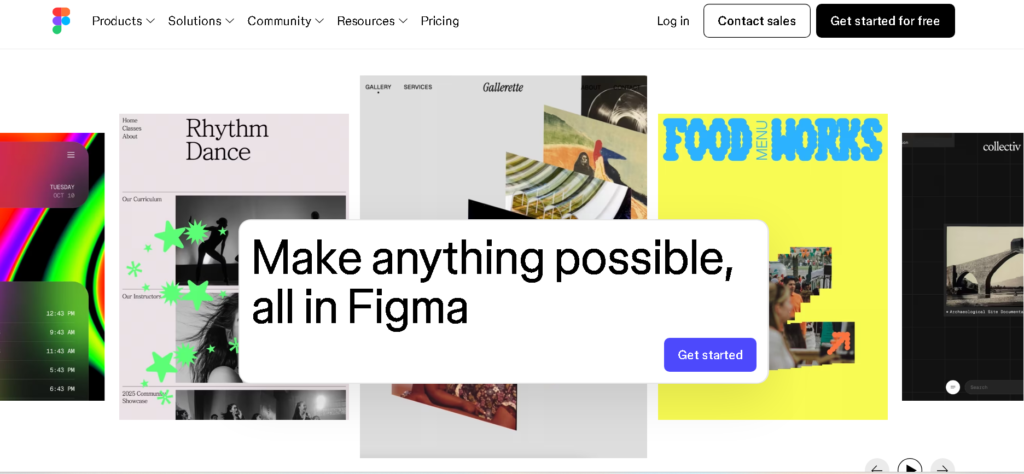
Figma is the dominant platform for collaborative UI/UX design, and its AI feature set has expanded substantially in 2026. Figma AI addresses the most time-consuming parts of interface design — layout generation, placeholder content creation, component variant suggestion, and design system consistency at scale.
Key Features:
- Auto Layout AI — Intelligent layout suggestions based on content and established spacing patterns
- Component generation — AI-generated UI component variants from existing design systems
- Placeholder content — Contextually appropriate text, images, and data for realistic prototypes
- Design-to-Code — AI-assisted extraction of production-ready code from completed designs
- Visual search — Search design libraries by visual similarity rather than component name
- AI annotations — Automatic design specification documentation for developer handoff
Real Use Cases:
- Product designers building high-fidelity prototypes faster for user testing cycles
- UX teams exploring multiple layout directions in parallel during discovery
- Design systems teams maintaining consistency across large, evolving component libraries
- Developers extracting production-ready CSS and component code directly from Figma files
Pros:
- Seamlessly embedded in the Figma workflow — zero context switching required
- Design-to-code features meaningfully reduce developer handoff friction and errors
- Component AI maintains design system consistency at scale — critical for enterprise product teams
- Cross-functional collaboration infrastructure keeps product and engineering aligned
Cons:
- Full AI capability requires Figma’s paid plans — team costs scale significantly with organization size
- Some AI-generated layouts require meaningful manual refinement for production use
- Purpose-built for digital product design — less applicable to graphic, illustration, or print workflows
- Advanced AI features add onboarding time for new team members
Best For: Product designers, UX designers, UI developers, and cross-functional product teams building digital products who need to prototype, iterate, and hand off designs faster without compromising quality or consistency.
🔍 In Real Workflows: Figma AI’s placeholder content generation has an underappreciated impact on user research quality. Prototypes with realistic names, plausible product descriptions, and properly formatted data produce more reliable user testing insights than the same prototype with obvious Lorem Ipsum — because participants respond to the interface rather than getting distracted by unrealistic content. The research quality improvement is as valuable as the time saving.
Comparison Table
| Tool | Best For | Starting Price | Skill Level |
|---|---|---|---|
| Canva AI | High-volume brand content production | Free / $13/month | Beginner–Intermediate |
| Adobe Firefly | Professional compositing & commercially safe generation | Included in CC (~$55/month) | Intermediate–Advanced |
| Midjourney | Creative concepting & art direction | $10/month | Intermediate–Advanced |
| DALL·E 3 | Accessible conversational image generation | Included in ChatGPT Plus ($20/month) | Beginner |
| Looka | Logo & startup brand identity | $20 one-time / $96/year brand kit | Beginner |
| Figma AI | UI/UX product design & prototyping | $15/month per editor | Intermediate–Advanced |
How to Choose the Right AI Design Tool
By Skill Level:
- Beginner or non-designer → Canva AI or DALL·E 3. Both produce professional-quality output with minimal learning investment.
- Intermediate professional designer → Adobe Firefly if already in Creative Cloud, or Midjourney for image generation. Both reward time invested in learning.
- Senior designer or creative director → A deliberate stack: Midjourney for concepting, Firefly for production, Figma AI for UI/UX.
By Primary Use Case:
- Social media and high-volume brand content → Canva AI
- Professional photo editing and compositing → Adobe Firefly
- Creative concepting and visual development → Midjourney
- Quick concept imagery and content visuals → DALL·E 3
- Logo and startup brand identity → Looka
- Product design and UI/UX → Figma AI
By Budget:
- $0/month → Canva AI free tier covers genuine low-volume needs
- Under $25/month → Canva Pro, DALL·E 3 via ChatGPT Plus, or Midjourney Basic all deliver strong value
- $50+/month → Adobe Creative Cloud with Firefly for designers already embedded in that ecosystem
The practical starting point: identify your single biggest time sink in the current workflow. Choose the tool that directly addresses it. Build from there.
Real Use Cases
Freelancers
For independent designers, AI tools for designers solve a margin problem. Every hour saved on production is an hour redirected to higher-value creative work — or capacity for an additional client.
A freelance brand designer using Midjourney for concepting can generate 25 visual directions in 90 minutes, identify the strongest 4–5, and bring those into Illustrator for refined execution — compressing a 2-day concepting process into half a day without compromising the quality of the final work.
For freelancers looking to build income streams beyond client services, the AI side hustles for beginners guide covers specific models — AI-generated print products, brand template marketplaces, productized design services — built on the tools in this review.
Agencies
Creative agencies face a version of the throughput problem that goes beyond individual productivity: client content expectations have grown faster than most studios can staff for without adversely affecting margins.
An agency producing social content for 12 brand clients previously needed 6–8 designers to maintain quality and volume. With Canva AI for production and Adobe Firefly for custom imagery, the same output runs with 3–4 designers — with the remaining capacity redirected to strategy and higher-margin creative work. For agencies looking to monetize AI-powered creative services, the guide on how to make money with AI covers the service models generating the strongest returns in 2026.
Content Creators
For solo YouTubers, bloggers, newsletter writers, and social creators, AI design tools eliminate the bottleneck between a great content idea and a professional visual that makes it worth clicking.
A content creator combining Canva AI for layout and DALL·E 3 for custom imagery can produce a complete weekly visual package — thumbnails, social tiles, email headers, featured images — in under two hours. The AI tools for content creation guide covers how these design tools fit into a complete AI-powered content production system.
Expert Insight: Why the Stack Approach Outperforms Any Single Tool
After extensive testing across professional workflows, the clearest finding is this: the creative professionals getting the most from AI aren’t relying on one tool. They’re running a deliberate stack — using each tool for what it does best and transitioning between them fluidly.
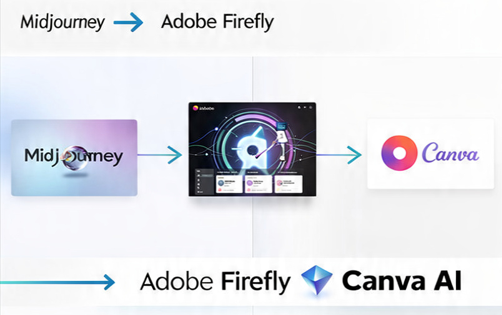
The professional AI design stack that consistently produces the highest output quality:
Phase 1 — Ideation (Midjourney)
Generate 30–40 rough visual directions from descriptive prompts. Evaluate compositionally and stylistically. Identify the 4–5 strongest directions worth developing further. Time: 90–120 minutes.
Phase 2 — Production (Adobe Firefly + Photoshop/Illustrator)
Take the strongest concepts into the Adobe environment. Use Generative Fill to refine composition, adjust elements, and integrate brand-specific components. Build the production-ready assets at required specifications. Time: 3–4 hours.
Phase 3 — Distribution (Canva AI)
Apply the finished creative across required format variations — social, email, digital ads — using Canva’s Brand Kit system for automatic brand compliance. Time: 30–60 minutes.
Total time for a campaign that used to take 3–4 studio days: 6–8 hours.
The essential clarification: this workflow doesn’t eliminate designer judgment. It eliminates the time between having judgment and acting on it.
The concepting phase still requires a designer who can evaluate which of 40 generated images has genuine compositional merit worth developing. The production phase still requires someone who understands how to composite elements convincingly and maintain brand integrity. AI accelerates the execution. Professional skill determines the quality of what gets executed.
For designers interested in building income streams around these workflow efficiencies, the best AI tools for making money guide covers the creative income models generating the strongest returns in 2026 — from productized design services to AI-powered template marketplaces.
FAQ
1. Are AI design tools replacing graphic designers?
No — but they’re restructuring which parts of design work carry the most professional value. Routine production tasks (background removal, asset resizing, template customization, stock sourcing) are increasingly automated. Creative direction, brand strategy, client communication, and visual problem-solving are not. The competitive risk isn’t replacement — it’s being out-performed by designers who integrate AI into their workflows more effectively.
2. Which AI tool is best for beginners with no design experience?
Canva AI is the most accessible starting point — intuitive interface, meaningful free tier, and no prior design knowledge required. DALL·E 3 via ChatGPT is the best entry point for AI image generation, specifically, because conversational prompting removes the need for specialized syntax. Both are production-ready, not just learning tools.
3. Are AI-generated images safe for commercial use in professional client projects?
It depends on the tool. Adobe Firefly is trained on licensed Adobe Stock content and public domain material — outputs are commercially safe for professional client work. Midjourney and DALL·E 3 permit commercial use under their terms of service, but the IP landscape around AI training data continues to evolve legally. For enterprise clients and regulated industries, Firefly is currently the safest professional default.
🚀 Ready to Upgrade Your Creative Workflow?
If you’re a graphic designer, art director, or creative professional who hasn’t integrated any of these AI tools for designers into your daily workflow, the gap between your current output capacity and that of designers who have is already measurable — and growing.
The practical path: start with the tool that addresses your most time-consuming current challenge. Use it on real client work, not test projects. Build it into your regular workflow rather than treating it as an experiment to return to occasionally.
Explore more on AI Arena:
- The complete guide to AI tools for content creation
- Practical strategies for how to make money with AI as a creative professional
- The best AI tools for making money reviewed and ranked
The creative economy is changing faster than most professionals realize. The designers who understand and use these tools effectively will shape what that change looks like — not just react to it.
Conclusion
The question for creative professionals in 2026 is no longer whether to use AI tools for graphic designers — it’s which ones belong in your workflow and how to integrate them effectively.
The six tools reviewed here — Canva AI, Adobe Firefly, Midjourney, DALL·E 3, Looka, and Figma AI — represent the strongest options available across every major creative workflow category. Each has genuine professional strengths, honest limitations, and specific contexts where they deliver meaningful value.
Used thoughtfully and in deliberate combination, these AI design tools solve the throughput problem that’s defining modern design work — without requiring designers to sacrifice the creative judgment that makes the work worth doing.
The designers building sustainable, high-value practices in 2026 understand the difference between using AI as a creative accelerator and using it as a creative crutch. Every tool in this guide can function as either. The professional outcome depends on which way you choose to use it.
About the Author
Binoy Bahuleyan is the founder of AI Arena, where he shares practical insights on AI tools, automation, and digital income strategies. Based in Kochi, India, he focuses on helping creators, freelancers, and professionals leverage AI to build scalable online income streams for global markets.
Published by AI Arena | Updated: March 2026