

Discover the best AI tools for freelancers in 2026 to earn more, work faster, and avoid costly mistakes that reduce your income.
Not because AI doesn’t work. It does — dramatically. But because they’re treating every tool like it’s interchangeable. Grabbing whatever’s trending. Using ChatGPT for everything, regardless of whether it’s the right choice.
The result? Mediocre output that still requires hours of editing. Client work that doesn’t quite hit the mark. Promises of “10x productivity” that never actually materialize.
The right AI tools for freelancers aren’t the most popular ones — they’re the ones that fit your specific workflow, your clients’ expectations, and your income goals. Using the wrong AI tool costs more time than using no tool at all. Because now you’re editing bad outputs instead of simply starting fresh.
This guide tells you exactly which AI tools for freelancers actually work — organized by skill type and use case — and which ones you should stop wasting money on.
Let’s get into it.
Table of Contents
- Best AI Tools for Freelancers (Quick Answer)
- Why Most Freelancers Are Using the Wrong AI Tool
- The AI Tool Every Freelancer Actually Needs in 2026
- Best AI Tools for Freelancers Compared
- How Freelancers Use AI to Earn More Money
- The Best AI Tools for Freelancers to Grow Your Income
- Common Freelancer Mistakes With AI Tools
- FAQ
Best AI Tools for Freelancers (Quick Answer)
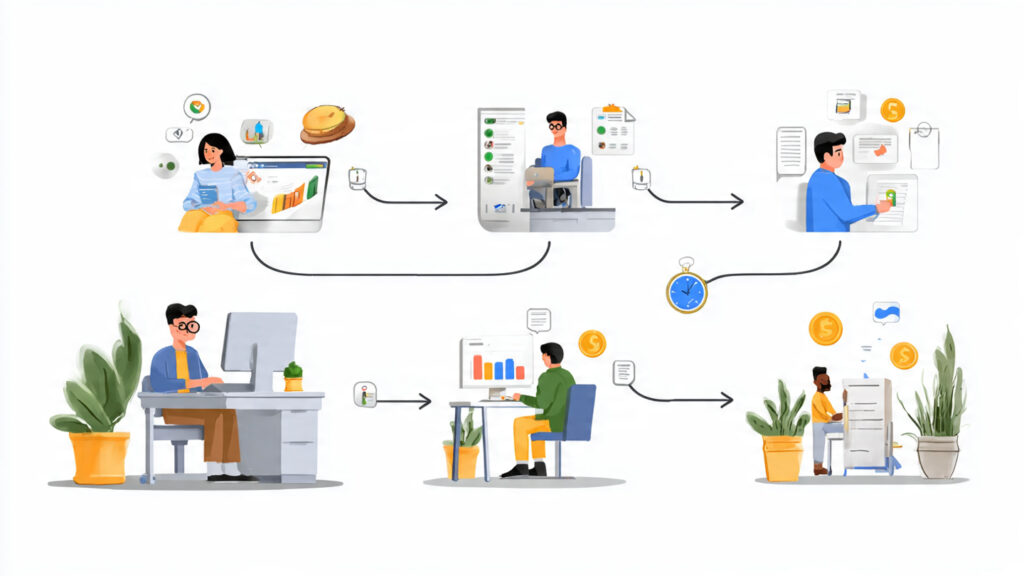
The best AI tools for freelancers depend on your specialty — but every freelancer needs at least one tool for their core skill and one for business operations.
Here’s the fast answer by role:
- Writers: Claude (long-form nuance) + Perplexity AI (real-time research)
- Developers: GitHub Copilot (inline code completion — nothing else is close)
- Designers: Midjourney (concepting) + Canva AI (production volume)
- Marketers: Jasper AI (brand voice copy) + Perplexity AI (competitor research)
- All freelancers: ChatGPT Plus with a Custom GPT for business operations — proposals, emails, invoices, onboarding
The #1 mistake: using one general tool for every task, instead of the right specialist tool for each specific problem.
👉 Start with ChatGPT today — the free plan is enough to test whether AI genuinely fits your workflow before committing to a paid subscription.
Why Most Freelancers Are Using the Wrong AI Tool
Let me describe a scenario that’s more common than most freelancers will admit.
You signed up for ChatGPT because everyone said it was the must-have tool. You paste in a client brief. You get back a 700-word draft. You spend 90 minutes editing it until it barely resembles what the AI originally wrote. You send it. The client asks for revisions that wouldn’t have happened if you’d just written it yourself.
Total time “saved” by AI: negative two hours.
This isn’t an AI problem. It’s a tool-fit problem. Most freelancers choose tools based on what’s popular — not what’s precise for their specific use case.
According to Forbes, the freelance economy is growing rapidly in 2026, with AI-augmented freelancers consistently commanding 20–40% higher rates than their non-AI counterparts. But that premium goes to freelancers using AI correctly — not just using AI broadly.
Here are the three patterns that keep freelancers stuck with the wrong tools:
Pattern 1 — Using a Writing Tool When You Need a Research Tool
Writers frequently use ChatGPT to research topics before writing. The problem: ChatGPT has a knowledge cutoff, regularly generates plausible-sounding inaccuracies, and can’t tell you what happened last month.
The fix: Use Perplexity AI for research — it searches the web in real time and provides sourced, cited answers. Then use ChatGPT or Claude to draft content from verified information.
One tool for research. One tool for writing. Not one tool doing both poorly.
Pattern 2 — Using a General AI When You Need a Specialist Tool
A developer using ChatGPT to write code gets decent output — but GitHub Copilot, trained specifically on billions of lines of professional code, produces suggestions inline as you type, in your editor, in your language, in your project’s specific context.
A designer asking ChatGPT to generate images gets text descriptions, not visuals. Midjourney generates the actual image. The right tool for the actual problem.
General AI tools are extraordinary generalists. But specialist tools consistently outperform them for specific professional tasks.
Pattern 3 — Over-Relying on AI for Client-Facing Output
AI doesn’t know your client. It doesn’t know their brand voice, their audience nuances, their competitive context, or the unspoken preferences they’ll definitely notice in the output.
Freelancers who use AI output as a final draft — rather than a first draft — consistently disappoint clients and then wonder why AI “didn’t work.”
The right model: AI is your research assistant and first-draft generator. You are the editor, the strategist, and the professional whose name goes on the work.
⚠️ Reality check: AI tools for freelancers are multipliers on the skill you already have — not replacements for it. If you’re a weak writer, AI makes you a faster weak writer, not a good one. Invest in your core skill first. Then use AI tools to amplify it.
The AI Tool Every Freelancer Actually Needs in 2026
Before the skill-specific recommendations, there’s one universal layer that every freelancer — regardless of specialty — needs in place.
That tool is: ChatGPT Plus with a well-configured Custom GPT.
Not because ChatGPT is the best at any single task. It isn’t. But because OpenAI’s Custom GPT feature is the most practical way to automate the business operations layer of freelancing — the work that consumes hours every week without generating billable income.
Consider what most freelancers spend non-billable time on:
- Writing client proposals from scratch each time
- Drafting project scope documents
- Composing follow-up and check-in emails
- Creating client onboarding documents
- Building case studies from project outcomes
- Organizing meeting notes into action plans
- Writing LinkedIn content to attract new clients
None of this is your billable expertise. All of it is necessary. All of it takes time you don’t have.
A properly configured Custom GPT — trained on your past proposals, your tone, your pricing, and your service descriptions — handles all of it in minutes instead of hours. This is what separates freelancers who genuinely benefit from AI productivity tools for freelancers from those who use AI occasionally and wonder why nothing changed.
💡 Pro tip: Build your Custom GPT with three elements: (1) your service descriptions and 2–3 proposal excerpts, (2) your communication tone guidelines, (3) behavioral rules for what you always and never include in client communication. Setup takes 90 minutes. Time savings: 3–5 hours per week, every week.
This is also one of the most effective freelance business tools AI has produced — a personal business assistant that knows your work better than any generic AI model can.
Who Should Use What: The Breakdown by Freelance Type
Freelance Writers and Content Creators:
- Primary: Claude (superior for nuanced long-form writing with consistent voice)
- Research: Perplexity AI (real-time sourced research)
- SEO optimization: Surfer SEO (keyword-optimized content structure)
- Operations: ChatGPT Plus (proposals, outlines, repurposing, client communication)
Freelance Designers:
- Primary: Midjourney (concept generation, art direction, mood boards)
- Adobe ecosystem: Adobe Firefly (commercially licensed, integrates with Photoshop/Illustrator)
- High-volume client assets: Canva AI (branded content, template production)
- Operations: ChatGPT Plus (briefs, proposals, client communication)
Freelance Developers:
- Primary: GitHub Copilot (inline code completion, debugging, test generation)
- Problem-solving: ChatGPT Plus (architecture questions, documentation, code explanations)
- Project documentation: Notion AI (technical specs, project documentation)
Freelance Marketers:
- Content: Jasper AI (brand voice training, commercial-intent copy)
- Research: Perplexity AI (competitor analysis, current market data)
- Ad creative: AdCreative.ai (ad copy and image variation generation at scale)
- Strategy: ChatGPT Plus (campaign frameworks, audience analysis, reporting)
Best AI Tools for Freelancers Compared

| Tool | Best For | Primary Strength | Key Limitation |
|---|---|---|---|
| ChatGPT Plus | All freelancers (operations) | Versatility, Custom GPTs, business writing | Not ideal for real-time research |
| Claude | Writers, content creators | Long-form nuance, consistent voice | Slightly slower, fewer integrations |
| GitHub Copilot | Developers | Inline code completion in your IDE | Limited outside coding contexts |
| Perplexity AI | All (research layer) | Real-time web search with citations | Not a content generation tool |
| Midjourney | Designers, creatives | Highest-quality image generation | Learning curve, Discord interface |
| Jasper AI | Marketers, content agencies | Brand voice training, commercial copy | Higher cost, requires brand setup |
| Canva AI | Designers, social media managers | Template speed, brand consistency | Quality ceiling for complex visuals |
The pattern: the AI tools for remote work and freelancing that generate real income are the ones that handle a specific, well-defined task exceptionally well — not the ones that promise to do everything adequately.
👉 Pick one tool from this table that fits your specialty and start using it consistently for two weeks before adding anything else to your stack.
How Freelancers Use AI to Earn More Money
Not “AI can help you work faster” — that’s obvious. This section covers exactly how AI freelance tools 2026 translate into measurable income increases for each freelancer type.

Freelance Writers — The Content Volume Unlock
The income ceiling for freelance writing has always been time. You can write only so many words per day. You can serve only so many clients before quality suffers.
AI breaks that ceiling — and it’s creating documented income advantages for writers who use it correctly.
According to Forbes, AI-augmented content professionals are reporting 2–3x output increases while maintaining comparable quality standards. A writer who can deliver three 1,500-word articles per day instead of one earns $300/day instead of $100/day — on identical hours.
The specific workflow:
- Client provides brief (topic, keywords, tone, target length)
- Writer uses Perplexity AI to gather cited, current research
- Writer builds a structured ChatGPT or Claude prompt using that research plus the client brief
- AI generates a detailed first draft
- Writer edits for voice, adds specific examples, verifies all facts
- Grammarly polish pass before delivery
Total time per 1,500-word article: 45–75 minutes vs. 2.5–4 hours manually.
These are exactly the kinds of AI tools for content creators that turn a 4-article-per-week ceiling into a 12-article-per-week capability — without sacrificing quality or working more hours.
Our AI prompts guide covers the exact prompt frameworks that make this workflow produce consistently professional first drafts.
Freelance Designers — The Concepting Multiplier
Designers face a universal bottleneck: concepting takes as long as execution, but clients don’t pay for it separately.
A client brief arrives. You spend 3 hours sketching concepts, building mood boards, exploring visual directions. You present 3 options. The client picks one. You execute. Those 3 hours of concepting were absorbed into your flat rate.
AI tools for freelancers in design dramatically compress that concepting phase.
A designer using Midjourney for concept exploration generates 30 visual directions in 90 minutes — presenting the strongest 5 or 6 to the client as refined concept options. The client gets a more impressive presentation. The designer spends far less time on the unpaid concepting phase.
Additionally: Designers using Canva AI for high-volume client work — social media management, branded content, template production — can manage 3–4 social media clients simultaneously rather than 1–2. Each additional client is effectively pure margin, because AI handles the production layer.
Freelance Developers — The Code Review Shortcut
GitHub Copilot changes the economics of freelance development more than any other AI tools for developers changes any other discipline.
Freelance developers typically charge by project, not by hour. According to McKinsey’s research on AI and productivity, AI coding tools reduce development time by 25–50% on standard tasks — a reduction that goes directly to the developer’s effective hourly rate.
A developer billing $3,000 for a project that takes 40 hours earns $75/hour.
The same developer using GitHub Copilot completes the project in 25 hours and earns an effective rate of $120/hour — for work that is higher-quality and better-documented because Copilot catches errors as you write.
This is the clearest ROI case for AI tools for developers in the freelance economy.
Freelance Marketers — The Research and Scale Advantage
Freelance marketers have a specific 2026 advantage: clients are increasingly paying premium rates for AI-augmented marketing services because the output volume and turnaround speed are visibly different from non-AI alternatives.
How high-performing freelance marketers are structuring their stack:
- Perplexity AI — competitor analysis, market research, current campaign landscape
- ChatGPT — campaign frameworks, audience persona creation, strategic planning documents
- Jasper AI — brand-voice-consistent ad copy, email sequences, content calendars
- AdCreative.ai — 20–30 ad creative variations rather than 3–5
The result: a solo freelance marketer delivering the output volume of a 3-person agency team — at rates that compete on value, with margins that make the business genuinely profitable.
For more on converting these AI-augmented skills into income, our guide on make money with AI covers the specific service models generating the strongest rates in 2026.
The Best AI Tools for Freelancers to Grow Your Income {#the-best-ai-tools-for-freelancers-to-grow-your-income}
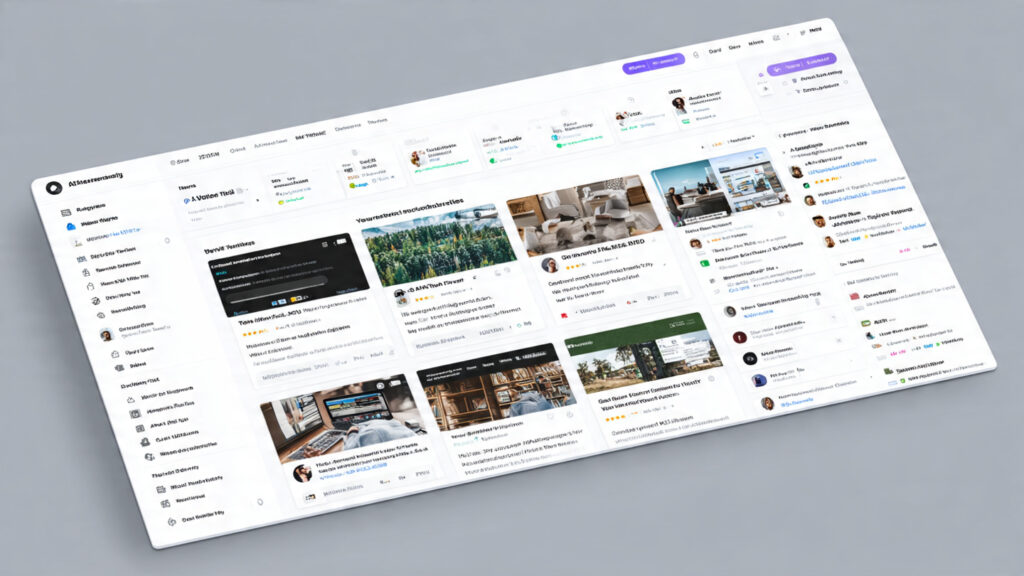
This five-step system is how freelancers go from “I have AI tools” to “AI tools are adding measurable income.”
Step 1 — Audit Your Current Time Spend
Before choosing any tool, spend 20 minutes listing everything you do in a typical work week. Sort it into:
- Billable work — tasks clients pay you for directly
- Non-billable work — proposals, emails, invoices, research, admin, revision communication
The non-billable column is your AI opportunity. These tasks consume time without generating direct income — and most are prime candidates for automation.
Step 2 — Identify Your Single Biggest Time Drain
From your non-billable list, find the one task consuming the most hours per week. That’s where you start — not with your billable work, not with the most interesting AI use case you read about.
Common answers:
- Writing client proposals from scratch (writers, designers, developers)
- Research before client meetings (marketers)
- First-draft content that needs heavy revision (writers)
- Technical documentation (developers)
- Client performance reporting (marketers)
Step 3 — Match the Right AI Tool to That Specific Problem
From the comparison table above, select the tool that addresses your biggest time drain. Configure it properly for your context:
- ChatGPT: Build a Custom GPT with your service context and communication style
- Claude: Create a master prompt document you paste at the start of each session
- GitHub Copilot: Install in your primary IDE and commit to consistent use for two weeks before evaluating
One tool. One problem. Two weeks of deliberate use.
Step 4 — Build a Personal Prompt Library
The value of AI freelance tools 2026 compounds when you invest in building reusable prompts for your most common tasks.
A prompt that produces a strong client proposal draft in 15 minutes — consistently — is worth more than any monthly subscription cost. The AI prompts guide covers the exact frameworks for prompts that produce professional outputs across every freelance use case.
Step 5 — Scale Output, Not Just Speed
The freelancers generating the most income from AI aren’t just working faster — they’re using recovered time to grow their income directly:
- Adding one more mid-size client ($500–$1,500/month additional revenue)
- Shifting from hourly to project-based pricing (capturing the efficiency gain as margin)
- Building passive income — digital products, courses, affiliate content — with recovered hours
This is how AI automation for freelancers moves from “I work a bit faster” to “my monthly income increased by 40%.”
For the second income stream approach, our AI side hustles guide covers the highest-earning models that complement freelance work specifically. And for a complete list of tools with affiliate programs worth promoting, see our best AI tools to make money guide.
Common Freelancer Mistakes With AI Tools
Mistake 1 — Treating AI output as client-ready.
Every AI output needs a human editing pass before client delivery — not because quality is low, but because quality isn’t contextualized to your specific client and project relationship. AI doesn’t know what the client disliked about the last revision. You do.
Mistake 2 — Using too many tools simultaneously.
Most freelancers generating real income from best AI software for freelancers use 2–3 tools deeply — not 8–10 experimentally. The value is in depth of use, not breadth. Go deep on two tools before adding a third.
Mistake 3 — Neglecting prompt quality.
The single most consistent predictor of whether a freelancer gets value from AI tools that save time is whether they’ve invested in learning to write effective prompts. Weak prompts produce weak output. The tool is fine; the instruction is the problem.
Mistake 4 — Using AI for the wrong phase.
AI is most valuable at the edges of your work: early (research, outlines, first drafts, brainstorming) and late (polish, formatting, admin documentation). It’s least valuable in the middle — the nuanced creative and strategic decisions requiring client context and professional judgment. Use it at the edges.
Mistake 5 — Disclosing AI use without professional framing.
Clients have widely varying opinions on AI. “I used ChatGPT to write this” triggers skepticism. “I use AI tools to handle research and first drafts, freeing me to focus on the strategic decisions that most affect your results” is honest, professional, and value-framed. Same truth — very different reception.
FAQ
1. What are the best AI tools for freelancers in 2026?
The best AI tools for freelancers depend on your specialty. Writers: Claude + Perplexity AI. Developers: GitHub Copilot — nothing else competes. Designers: Midjourney for concepting, Canva AI for production. Marketers: Jasper AI for copy, Perplexity for research. For all freelancers on business operations: ChatGPT Plus with a Custom GPT trained on your proposals, tone, and services.
2. Can freelancers really make money with AI — or is it hype?
It’s real — but the mechanism matters. AI tools for freelancers don’t do your job. They eliminate the parts that don’t require your expertise, freeing capacity for more clients, higher rates, or additional income streams. Freelancers using AI as a production accelerator see genuine income increases. Those using it as a skill substitute get mediocre results.
3. Which AI tool saves the most time for freelancers?
For most freelancers, the tools addressing non-billable business operations — proposals, emails, admin — save the most time weekly. A well-configured ChatGPT Custom GPT consistently saves 3–5 hours per week on these tasks. For billable work: GitHub Copilot saves the most time for developers; Claude with strong prompts saves the most for writers.
4. How much should freelancers budget for AI tools?
For most freelancers, $20–$60/month covers a complete freelance business tools AI stack: ChatGPT Plus ($20/month) as the universal operations layer, plus one specialty tool matching your core skill ($10–$40/month). Don’t subscribe to everything popular — invest deeply in 2–3 tools that genuinely address your specific workflow.
5. Are AI tools for freelancers worth it for part-time or beginner freelancers?
Yes — often more so than for full-time freelancers. Part-time freelancers have the least available hours, which means AI tools that save time have proportionally higher value. Recovering 3 hours from a 10-hour available work week is a 30% capacity increase. If that extra capacity produces one additional project per month, the ROI on a $20 subscription is immediate.
Conclusion: The Right AI Tool Changes the Economics of Freelancing
The most common mistake freelancers make with AI in 2026 isn’t ignoring it. It’s grabbing whatever’s trending — and being confused when it doesn’t transform their workflow.
The right AI tools for freelancers are the ones that:
- Eliminate your biggest non-billable time drain
- Fit your specific work type without requiring constant workarounds
- Produce output you can actually use — not output you spend hours correcting
- Pay for themselves within the first two weeks of consistent use
That set of tools exists for your specific freelance discipline. It’s probably not the most talked-about combination on social media. It’s the one that solves your specific problems with the least friction.
Start here — tonight:
- Identify your biggest non-billable time drain this week
- Match it to the tool in the comparison table above
- Set it up properly — Custom GPT, prompt template, or IDE integration
- Use it consistently for 14 days before evaluating
👉 Start with ChatGPT Plus — the Custom GPT feature alone will recover more hours per week than most other tools combined. It’s the universal foundation every freelancer needs before adding specialty tools.
Explore the full AI Arena resource library:
- Complete guide to AI tools for freelancers — every tool reviewed by specialty and use case
- Make money with AI — income models for freelancers ready to build additional revenue streams
- Best AI tools to make money — affiliate programs, commission structures, and tool comparisons
- AI side hustles — what to build with the time AI gives you back
- AI prompts guide — the prompting skills that make every tool on this list 3x more effective
The right AI tools for freelancers won’t do your job for you — but they will change the economics of doing it. That’s the real value. And it starts the moment you choose the right tool, configure it properly, and use it consistently.
Start tonight.
Published by AI Arena | Updated: March 2026