
Introduction
The best AI tools for productivity 2026 are transforming how people work, study, and manage daily tasks.
You already know the feeling. It’s Sunday night, your to-do list is longer than your weekend was, and somehow tomorrow still has a 9am lecture attached to it.
You’re not alone. Students today are managing more than ever — assignments, research, part-time jobs, social commitments, and the constant background noise of notifications. Something has to give. Or something has to help.
That something is AI.
The best AI tools for productivity in 2026 are not just clever apps. They are systems that genuinely change how much you can accomplish in a day. They write first drafts, summarize hour-long lectures, organize your notes, answer questions at 2am, and make the blank page feel less terrifying.
This guide reviews the eight tools that are making the biggest difference for students right now. Each one has been selected for real-world usefulness — not just impressive demos.
Already using AI for your coursework? Check out our best AI tools for students in 2026 and our best AI writing tools guide for more recommendations tailored to academic life.
Why Productivity AI Tools Matter for Students in 2026
Here’s the honest truth: there are only 24 hours in a day, and university isn’t getting any less demanding.
AI productivity tools help in three specific ways:
- They eliminate time waste. Tasks that used to take an hour — summarizing a reading, drafting an email to a professor, organizing notes from three different sources — can now take five minutes.
- They reduce decision fatigue. When an AI can give you a structured plan, you spend less mental energy figuring out where to start.
- They work when you can’t. Need a concept explained at midnight? An AI doesn’t sleep. It doesn’t charge by the hour. It just helps.
That’s the practical case. Now let’s look at the tools.
The 8 Best AI Productivity Tools for Students in 2026
1. ChatGPT — Best All-Round AI Productivity Assistant
Website: openai.com/chatgpt
If you’ve only heard of one AI tool, it’s probably this one. ChatGPT by OpenAI is the Swiss army knife of AI productivity — genuinely useful for almost every kind of student task imaginable.
You can ask it to explain a difficult concept, draft an essay outline, summarize a research paper, generate practice exam questions, debug code, translate a paragraph, or write an email to a supervisor. It responds in plain, conversational language and lets you refine answers through follow-up questions.
The reason it tops this list isn’t just capability — it’s flexibility. Whatever your subject, whatever your task, ChatGPT probably has a useful role to play in it.
Key Features:
- Conversational interface — describe what you need in plain English
- Long-form draft generation across any subject or format
- Concept explanation at any level of detail you need
- Practice question and revision quiz generation
- File and image uploads for analysis (Plus plan)
- Memory feature that adapts to your preferences over time
Pros:
- Works across virtually every subject and task type
- Free tier (GPT-4o) is capable for most daily student needs
- Easy to use from day one — no learning curve
Cons:
- Can produce confident-sounding but incorrect information — always verify facts
- Requires clear prompting to get the best results
- No built-in citation or source-linking feature in standard responses
Best for: Essay outlines, concept explanations, revision quizzes, email drafting, and general academic assistance.
Pricing: Free. ChatGPT Plus costs $20/month.
2. Notion AI — Best for Notes and Academic Organization
Website: notion.so
If your notes currently live across three apps, two notebooks, and a folder on your desktop called “FINAL FINAL,” Notion AI is built for you.
Notion is already one of the most popular organization tools for students — combining notes, databases, task management, and project boards in one place. The AI layer turns it into something smarter. It can read your notes and summarize them, generate revision checklists, help you build a study schedule, and turn rough bullet points into structured outlines.
The key advantage is that everything lives in one place. You don’t need to copy content between apps. The AI works directly on the material you’ve already collected.
Key Features:
- AI summarization of lecture notes and long documents
- Study schedule and to-do list generation from prompts
- Auto-generates outlines, tables, and revision checklists
- Database views for managing deadlines, assignments, and sources
- Translates and rewrites content within your workspace
- Syncs across desktop and mobile in real time
Pros:
- All notes, tasks, and AI assistance in one place
- Excellent for managing multiple subjects simultaneously
- Great for group projects with shared workspace features
Cons:
- Learning curve for users completely new to Notion
- AI features require a paid add-on beyond the base plan
- Less powerful than ChatGPT for generating original content from scratch
Best for: Note organization, revision planning, group project management, and content summarization.
Pricing: Free plan available. AI add-on starts at $10/month.
3. Grammarly — Best for Writing Quality and Editing
Website: grammarly.com
You’ve written the essay. You’ve hit the word count. Now comes the part most students skip: actually reading it back properly before submitting.
Grammarly makes that process faster and more effective than self-editing alone. It checks grammar, spelling, punctuation, clarity, tone, and sentence structure in real time — directly inside Google Docs, Microsoft Word, or your browser. The suggestions are specific and explained, so you learn from them rather than just clicking accept.
The paid tier adds a plagiarism checker against billions of web pages — genuinely useful before any major submission.
Key Features:
- Real-time grammar, spelling, and punctuation corrections
- Tone and clarity suggestions for academic writing
- Plagiarism checker (Premium) against billions of sources
- GrammarlyGO AI assistant for paragraph rewrites
- Works inside Google Docs, Word, Gmail, and any browser
- Formal register guidance for academic contexts
Pros:
- Works inside the apps you already use — no friction
- Free tier covers the majority of everyday student writing needs
- Particularly valuable for students writing in English as a second language
Cons:
- Some suggestions alter deliberate stylistic choices
- Plagiarism checker requires a Premium subscription
- Not a content generation tool — improves what you’ve already written
Best for: Essay proofreading, email writing, improving clarity, and plagiarism checking before submission.
Pricing: Free. Grammarly Premium starts at $12/month.
4. Otter.ai — Best AI Tool for Lecture Note-Taking
Website: otter.ai
Taking notes while trying to actually listen to a lecture is one of the more frustrating balancing acts in student life. Otter.ai removes that pressure entirely.
It transcribes speech to text in real time — with speaker identification, timestamps, and keyword highlighting. After the lecture, it generates an automatic AI summary so you can review the key points without scrolling through the full transcript.
It connects directly with Zoom, Google Meet, and Microsoft Teams, so it works whether your classes are in person or online. For students who learn better by reading than by listening, this tool is genuinely transformative.
Key Features:
- Real-time transcription with speaker labels and timestamps
- Automatic AI summary after every session
- Keyword search across all saved transcripts
- Integrates with Zoom, Google Meet, and Microsoft Teams
- Export transcripts as text or PDF
Pros:
- Highly accurate transcription under standard lecture conditions
- AI summaries save significant time during revision
- Excellent for students with hearing difficulties or language barriers
Cons:
- Free plan capped at 300 minutes of transcription per month
- Accuracy decreases with background noise or heavy accents
- Joining meetings automatically may require host permission
Best for: Transcribing lectures, creating revision notes from recorded classes, accessibility support.
Pricing: Free (300 min/month). Otter Pro starts at $16.99/month.
5. Perplexity AI — Best AI Tool for Research and Fact-Finding
Website: perplexity.ai
Every student knows the frustration of finding a claim in a blog post with no source attached. Perplexity AI solves that by design.
It’s an AI-powered search engine that answers your research questions using live web data and provides a clickable source citation for every single claim. It synthesizes information from multiple sources into one clear answer — so instead of opening fifteen tabs, you get a sourced overview in seconds.
Its Academic Focus mode searches peer-reviewed journals and scholarly sources specifically, making it far more useful for formal research than a standard Google search.
Key Features:
- Live web search with cited sources in every response
- Academic Focus mode for peer-reviewed paper searches
- Follow-up question threading for deeper exploration
- Clean, distraction-free interface
- Available on web and mobile
Pros:
- Every answer includes visible, clickable source links
- Current information — not limited by a training cutoff date
- Academic mode surfaces credible, peer-reviewed content
Cons:
- Pro search queries are limited on the free tier
- Source quality still needs manual verification before formal citation
- Less conversational than ChatGPT for general tasks
Best for: Starting research assignments, fact-checking claims, and finding credible academic sources quickly.
Pricing: Free. Perplexity Pro costs $20/month.
6. Todoist with AI — Best AI Tool for Task and Time Management
Website: todoist.com
Managing a full academic workload without a clear system is one of the fastest ways to fall behind. Todoist is the most capable AI-enhanced task manager available for students in 2026.
Its AI assistant helps you break down large projects into manageable steps, set realistic deadlines, prioritize tasks based on urgency and importance, and identify what needs your attention today versus what can wait. The natural language input means adding a task is as fast as typing a sentence.
Key Features:
- Natural language task entry (“submit essay next Friday” auto-schedules correctly)
- AI-generated project breakdowns from a single prompt
- Priority levels and deadline tracking across all assignments
- Smart scheduling suggestions based on workload
- Syncs across all devices in real time
- Integration with Google Calendar, Notion, and Slack
Pros:
- One of the cleanest interfaces of any task management tool
- AI project breakdown is genuinely useful for complex assignments
- Free tier is sufficient for most student needs
Cons:
- AI-specific features require a paid plan
- Some advanced integrations are locked behind higher tiers
- Less useful for note-taking or content creation — purely a task tool
Best for: Assignment tracking, deadline management, breaking large projects into steps, and daily planning.
Pricing: Free. Todoist Pro costs $5/month.
7. Quillbot — Best AI Tool for Paraphrasing and Research Writing
Website: quillbot.com
Working with academic sources means paraphrasing constantly — rewording ideas from papers, textbooks, and articles into your own language without copying the original phrasing. It’s a skill that takes time to develop. QuillBot makes it significantly more manageable.
It offers seven paraphrasing modes — Standard, Fluency, Formal, Academic, Simple, Creative, and Shorten — giving you precise control over how a passage is reworded while keeping the original meaning intact. Its Summarizer tool condenses long articles and papers into concise key points, saving hours during the research phase.
Key Features:
- Seven paraphrasing modes for different tones and purposes
- Summarizer for condensing long documents and research papers
- Grammar checker and plagiarism detector built in
- Co-Writer mode combining paraphraser, summarizer, and grammar tools
- Chrome extension for use inside any browser
Pros:
- Multiple modes give precise control over the tone of rewritten text
- Summarizer handles dense academic content efficiently
- Free version is useful for most everyday student tasks
Cons:
- Free tier is limited to 125 words per paraphrase
- Heavy reliance can weaken your own writing voice over time
- Best used to support original thinking, not replace it
Best for: Paraphrasing research sources, summarizing academic papers, and polishing essay writing.
Pricing: Free. QuillBot Premium starts at $9.95/month.
8. Google Gemini — Best Free AI Productivity Tool for Google Users
Website: gemini.google.com
If your academic life runs through Google — Docs, Drive, Gmail, Google Classroom — then Gemini is the most frictionless AI productivity tool available. It works directly inside the apps you already use every day, with no additional setup required.
Within Google Docs, Gemini can help you draft, rewrite, and improve content without leaving the document. In Drive, it can summarize and search documents. In Gmail, it drafts replies and helps compose professional emails to professors or employers. Its ability to analyze charts, graphs, and uploaded documents makes it especially useful for science and data-heavy subjects.
Key Features:
- AI writing assistance built into Google Docs
- Document summarization and search within Google Drive
- Multimodal analysis of images, graphs, charts, and PDFs
- Smart email drafting in Gmail
- Deep Research mode for comprehensive topic exploration
- Free with any Google account
Pros:
- Zero additional sign-up — free with your existing Google account
- Embedded in tools you already use every day
- Strong multimodal analysis for visual and data-based subjects
Cons:
- Advanced features require a paid Gemini Advanced subscription
- Less capable than ChatGPT when used outside the Google ecosystem
- Feature depth varies across different Google apps
Best for: Students who already work inside Google Workspace and want seamless AI assistance without changing their setup.
Pricing: Free with Google account. Gemini Advanced costs $19.99/month.
Quick Comparison: Best AI Productivity Tools for Students
| Tool | Best For | Free Plan | Starting Price |
|---|---|---|---|
| ChatGPT | All-round AI assistance | Yes | $20/month |
| Notion AI | Notes and organisation | Yes | $10/month |
| Grammarly | Writing and editing | Yes | $12/month |
| Otter.ai | Lecture transcription | Yes | $16.99/month |
| Perplexity AI | Research and sources | Yes | $20/month |
| Todoist AI | Task and time management | Yes | $5/month |
| QuillBot | Paraphrasing and summarising | Yes | $9.95/month |
| Google Gemini | Google Workspace users | Yes | $19.99/month |
How to Choose the Right AI Productivity Tool
You don’t need all eight tools. In fact, trying to use all of them at once is its own kind of productivity problem.
Here’s a more practical approach:
Start with the problem, not the tool. What is the task that consistently wastes the most of your time? If it’s getting first drafts started, ChatGPT is your starting point. If it’s keeping notes organized across multiple subjects, Notion AI is the priority. If you’re missing key points from lectures, Otter.ai makes the most immediate difference.
Prioritize free tools first. Six of the eight tools here have a useful free tier. Spend several weeks using the free versions before committing to any subscription. The right tool is the one you actually use consistently — and that’s something you can only discover through real use.
Think about integration. The tools you’ll use most naturally are the ones that fit your existing setup. If you write in Google Docs, Grammarly and Gemini both integrate directly. If you already use Notion, adding the AI layer is a small and logical upgrade. Friction kills habits.
Add one tool at a time. Pick the tool that addresses your biggest current challenge. Use it consistently for a month. Evaluate whether it’s making a difference. Then decide whether to expand your toolkit from there.
Conclusion: Work Smarter, Not Harder
The best AI tools for productivity are not about doing less work. They’re about doing better work with the time and energy you have.
Every tool reviewed in this guide is designed to reduce the friction between you and your goals — whether that’s a submitted assignment, a revision plan that actually holds together, or a research essay you feel confident about.
The free combination of ChatGPT + Grammarly + Perplexity AI covers most everyday student productivity needs at zero cost. Add Otter.ai for lecture capture, QuillBot for source work, and Notion AI for organization as your needs grow.
Start today. Pick the tool that solves your biggest current problem. Sign up for the free tier. Use it for two weeks and see what changes. You might be surprised how much easier your academic life becomes when the right tools are working alongside you.
Explore more on AI Arena:
Frequently Asked Questions
What is the best free AI tool for student productivity?
ChatGPT is the most capable free AI productivity tool available in 2026. Its free tier includes GPT-4o access and handles most daily student tasks — drafting, explaining, summarizing, and planning. Grammarly and Google Gemini are also strong free options for writing and Google Workspace users respectively.
Can AI tools replace studying?
No — and the students who use them most effectively know that. AI tools handle the mechanical, time-consuming parts of academic life: note organization, draft generation, source summarization, grammar checking. The understanding, analysis, and critical thinking that education develops still come from you. Think of AI as a capable study assistant, not a replacement for the thinking itself.
Are AI productivity tools safe for academic use?
Most are, when used responsibly. Using AI to understand content, organize notes, check grammar, or summarize sources is widely accepted and encouraged at many institutions. Using AI to generate submitted work without declaration can constitute academic misconduct at most schools. Always check your institution’s AI policy and be transparent with your instructors about how you use these tools.
How many AI tools do I actually need?
For most students, two or three tools cover the essentials. A starting combination of ChatGPT (general assistance), Grammarly (writing quality), and Otter.ai (lecture notes) or Perplexity AI (research) addresses the most common productivity challenges without overwhelming your workflow. Add further tools only when a specific, recurring problem makes the case for one clearly.
Published on AI Arena — reviewing and comparing AI tools for productivity, learning, and content creation. Updated March 2026.
Best AI Productivity Assistant – ChatGPT
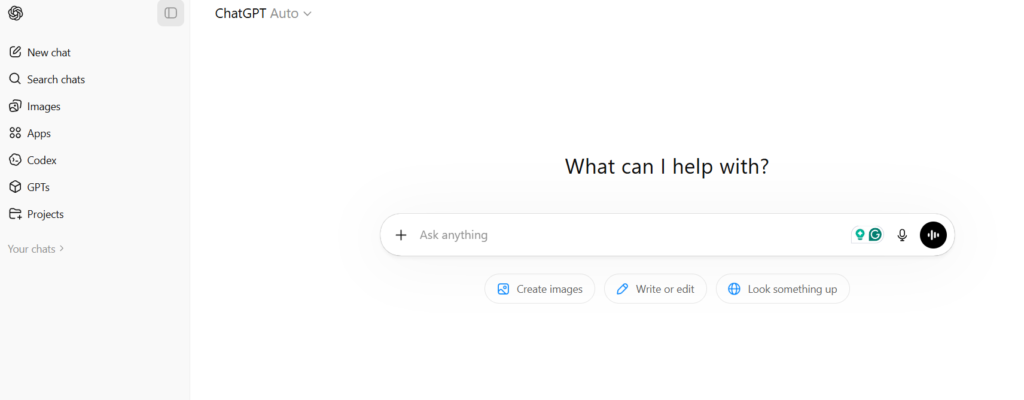
ChatGPT is a powerful AI assistant that helps with writing, research, coding, and daily tasks. It can generate content, explain concepts, and improve productivity across multiple use cases.
Best AI Tool for Notes & Organization – Notion AI
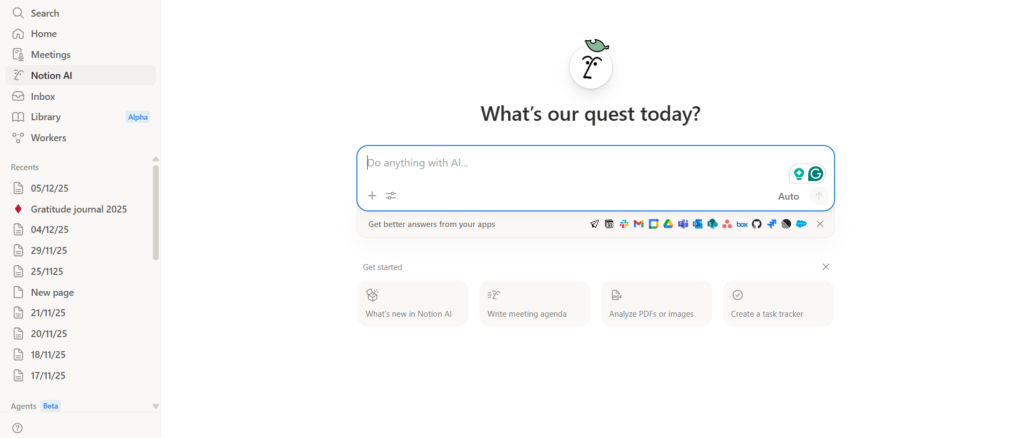
Notion AI enhances note-taking and task management by summarizing content, generating ideas, and organizing workflows—all in one unified workspace.
Best AI Writing & Grammar Tool – Grammarly
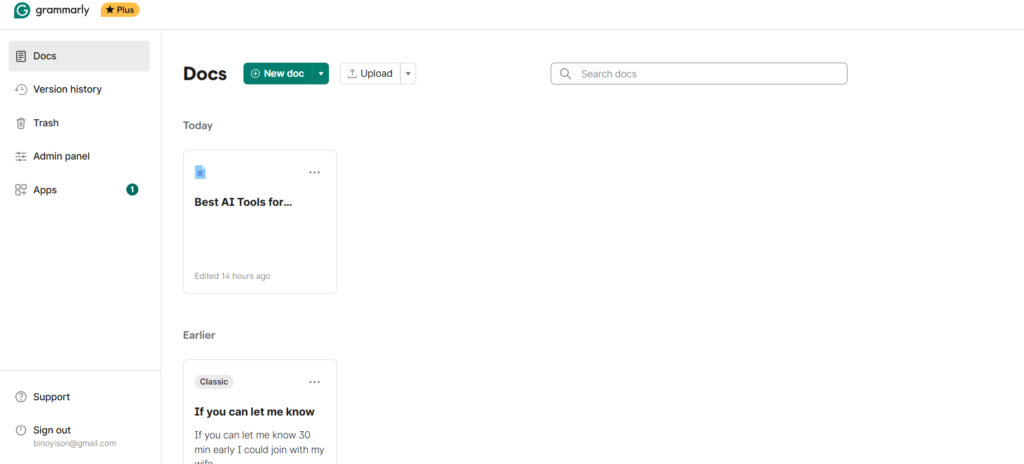
Grammarly is an AI-powered writing assistant that improves grammar, clarity, tone, and style in real-time, making it essential for students and professionals.
Best AI Tool for Transcription – Otter.ai
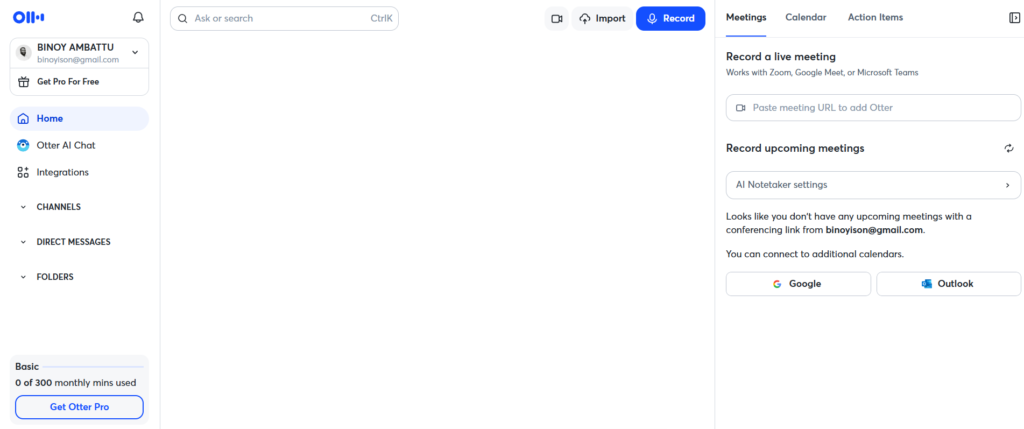
Otter.ai converts speech into accurate text in real-time, helping users capture lectures, meetings, and conversations with AI-generated summaries.
Best AI Search Engine for Research – Perplexity AI
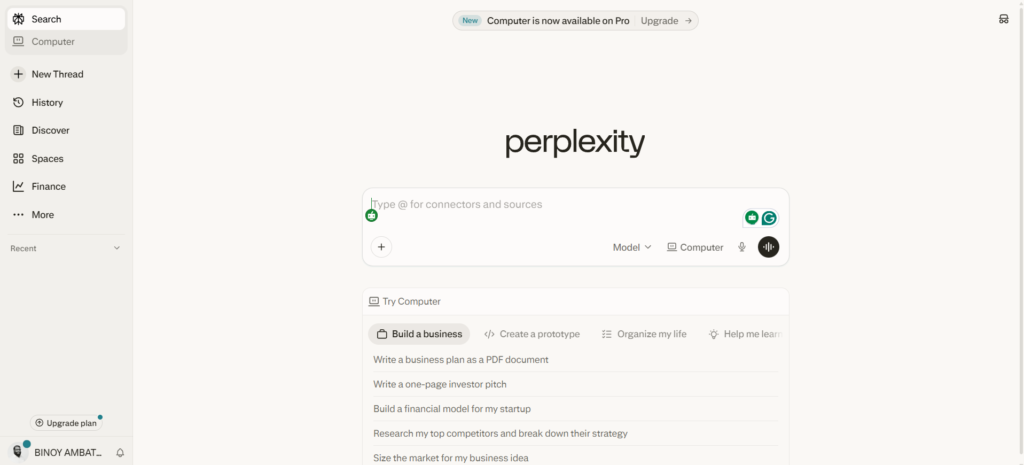
Perplexity AI is an AI-powered search engine that provides real-time answers with source citations, making research faster, reliable, and more efficient.
Best AI Task Management Tool – Todoist
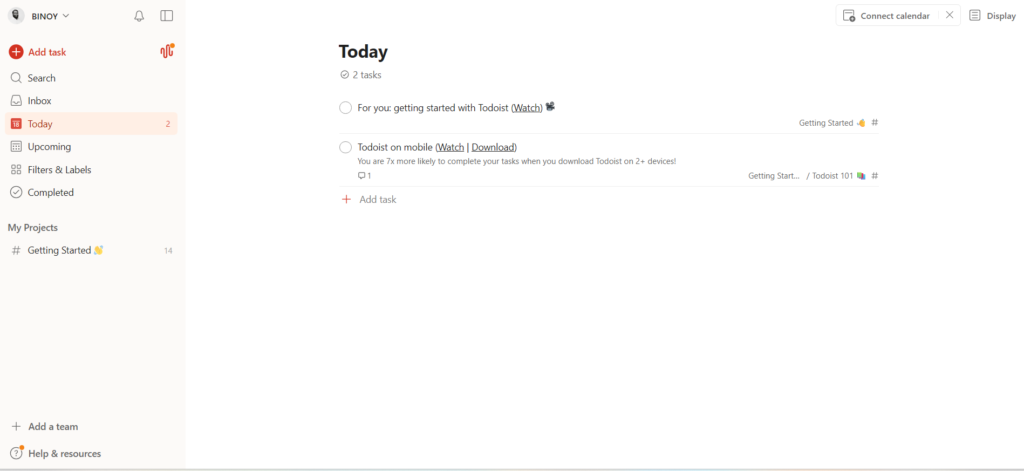
Todoist uses AI to help you manage tasks, set priorities, and organize projects efficiently, making it easier to stay productive every day.
Best AI Paraphrasing Tool – QuillBot
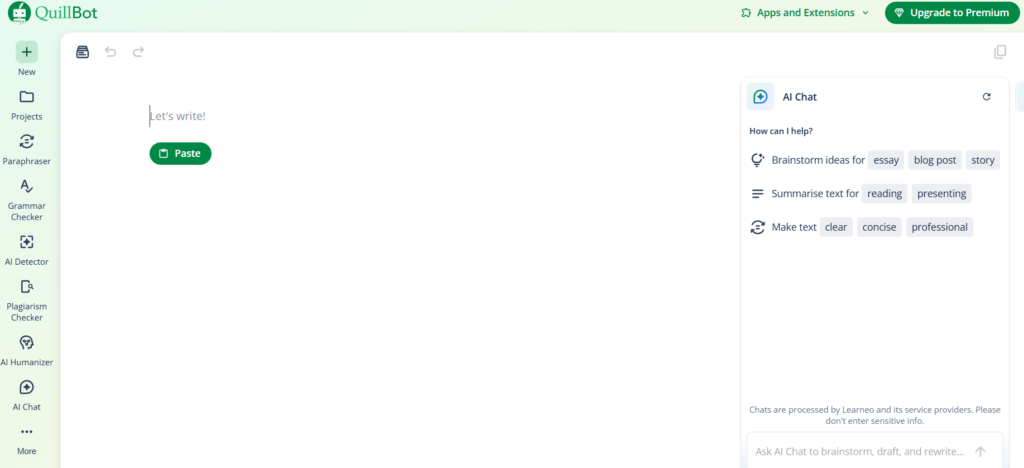
QuillBot is an AI writing tool designed for paraphrasing, summarizing, and improving text, helping users create clear and original content
Best Free AI Tool for Google Users – Google Gemini
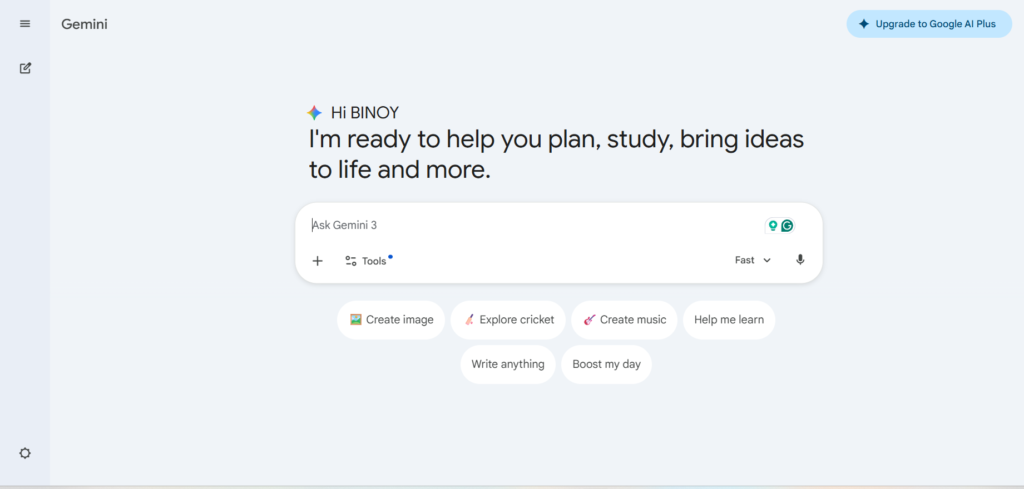
Google Gemini is an AI assistant integrated with Google Workspace that helps with writing, research, and productivity directly inside Docs, Gmail, and Drive.