
Picture this: it’s 11 PM, your essay is due tomorrow morning, and you’re staring at a blinking cursor. A few years ago, your only options were caffeine and panic. Today, you have something better.
Best AI Tools for Students have quietly become one of the most significant shifts in how people learn. Not because they do the work for you — but because they remove the friction that slows learning down. Confusing concepts get explained clearly. Research that took hours now takes minutes. Rough drafts become structured arguments. Lecture recordings become searchable notes.
This guide covers the ten best AI study tools available in 2026, written specifically for high school and college students. We’ll cover what each tool actually does, how you can use it practically, and where it falls short. No hype, no padding — just honest, useful information.
What Are AI Tools for Students?
AI tools for students are software applications that use artificial intelligence to assist with the tasks that take up most of your study time — reading and summarising long texts, drafting and refining written work, taking and organising notes, finding and evaluating research sources, and working through problems step by step.
Students who need help with essays and writing assignments can also explore the best AI writing tools in 2026.
They work in different ways depending on what they’re built for:
- Conversational tools let you ask questions and get detailed, responsive answers — like having a knowledgeable study partner available at any hour
- Writing assistants work inside your documents, suggesting improvements to grammar, clarity, tone, and structure in real time
- Research tools search the web or academic databases and return sourced, summarised information you can actually cite
- Note-taking tools transcribe spoken lectures and generate summaries automatically
The common thread is that they handle repetitive, time-consuming tasks so you can put your energy into understanding and analysis — which is where the real learning happens.
Top AI Tools for Students in 2026
1. ChatGPT – Best All-Round AI Study Assistant
If there’s one AI tool worth knowing in 2026, it’s ChatGPT. OpenAI’s flagship model handles more student tasks than any other single tool — from explaining chemistry to structuring arguments to generating practice exam questions.
What the tool does: ChatGPT is a conversational AI that responds to natural language questions and instructions across virtually any subject or format.
Key features:
- Step-by-step explanations for any topic or concept
- Essay brainstorming, outlining, and structural feedback
- Code writing and debugging support for CS students
- Document and image uploads (Plus plan)
- Memory that learns your preferences over time
- Supports dozens of languages
How students can use it: Ask ChatGPT to explain a concept your lecturer covered too fast. Use it to generate ten practice questions before an exam. Paste a paragraph and ask for feedback on your argument. The more specifically you describe what you need, the better the results.
Pros:
- Genuinely versatile across subjects and task types
- Free tier now includes GPT-4o — capable for most daily tasks
- Conversational format makes it easy to refine and follow up
Limitations:
- Can produce incorrect information stated confidently — always verify facts
- Doesn’t cite sources by default, limiting usefulness for formal research
- Vague prompts produce vague responses; takes practice to use well
Pricing: Free. ChatGPT Plus costs $20/month.
2. Grammarly – Best AI Tool for Writing Essays
Students tend to think of Grammarly as a glorified spell checker. That undersells it considerably. In 2026, Grammarly analyzes the full quality of your writing — checking not just whether your grammar is correct but whether your sentences are clear, your tone is appropriate, and your argument is structured logically.
What the tool does: Grammarly is an AI writing assistant that reviews your text in real time across grammar, clarity, tone, engagement, and style — and explains each suggested improvement.
Key features:
- Real-time corrections for grammar, spelling, and punctuation
- Tone detection and adjustment suggestions
- Clarity and conciseness scoring
- Plagiarism checker against billions of web pages (Premium)
- Works inside Google Docs, Word, Gmail, and any browser
- GrammarlyGO for AI-assisted paragraph rewriting
How students can use it: Keep the browser extension active whenever you write. Before submitting any assignment, run it through Grammarly and work through the suggestions — not automatically accepting everything, but reviewing each one. Pay particular attention to the clarity suggestions; these often flag sentences that are technically correct but harder to read than they need to be.
Pros:
- Works inside tools you already use with no friction
- Free version handles most everyday student writing needs
- Particularly valuable for students writing in English as a second language
Limitations:
- Some suggestions will flatten a deliberately distinctive writing voice
- Plagiarism checker and advanced features require Premium
- Not a substitute for a human proofreader on high-stakes work
Pricing: Free. Premium starts at $12/month.
3. Notion AI – Best AI Tool for Note Taking and Organisation
Notion is already a popular workspace for students managing notes, assignments, and deadlines. The addition of Notion AI turns it from a passive organiser into an active study companion — one that can read your notes, summarise them, and help you think through what you have collected.
What the tool does: Notion AI adds AI assistance directly inside your Notion workspace, helping you write, summarise, reorganise, and improve any content stored there — without switching between apps.
Key features:
- Summarise lecture notes into key bullet points automatically
- Generate study schedules, revision checklists, and action plans
- Rewrite existing notes for clarity or to adjust the reading level
- Translate notes into other languages
- Auto-fill project boards from written descriptions
How students can use it: After a lecture, paste your rough notes into Notion and ask the AI to produce a clean, structured summary. Before an exam, ask it to generate a revision checklist from your notes on a specific topic. For group projects, use it to turn a messy brainstorm into a clear plan with divided tasks and deadlines.
Pros:
- Everything — notes, tasks, AI assistance — in one workspace
- Genuinely useful for managing several subjects at once
- No app-switching; the AI works inside your existing notes
Limitations:
- Learning curve for students new to the Notion platform
- AI features cost extra on top of the base plan
- Less powerful than ChatGPT for generating original content
Pricing: Notion has a free plan. AI add-on starts at $10/month.
4. QuillBot – Best AI Tool for Research and Paraphrasing
Working with academic sources means paraphrasing constantly — integrating other people’s ideas into your own writing without copying their language. That’s a skill many students find genuinely difficult. QuillBot makes it significantly easier.
What the tool does: QuillBot paraphrases, summarises, and rewrites text using multiple modes, giving you control over how a source passage is reformulated while retaining its original meaning.
Key features:
- Seven paraphrasing modes: Standard, Fluency, Formal, Academic, Simple, Creative, and Shorten
- Summariser for condensing long papers and articles
- Grammar checker and plagiarism detector
- Co-Writer mode combines tools in one environment
- Chrome extension for use inside any browser
How students can use it: When writing a research essay, paste a passage from your source into QuillBot and select Academic mode. Review the paraphrase, make sure the meaning is preserved, and integrate it into your essay with a proper citation. Use the Summariser to extract the key arguments from a long journal article before deciding whether to read it in full.
Pros:
- Multiple modes give precise control over tone and register
- Summariser handles dense academic texts efficiently
- Free version is genuinely useful for most student tasks
Limitations:
- Free tier limited to 125 words per paraphrase
- Heavy use can weaken the development of your own writing voice
- Works best as a support tool, not a substitute for your own thinking
Pricing: Free. Premium starts at $9.95/month.
5. Perplexity AI – Best AI Tool for Research
Most AI chatbots have a significant problem for student research: they don’t cite sources, and their information has a cutoff date. Perplexity AI solves both problems. It’s a research engine that searches the live web and includes a direct source link for every claim it makes.
What the tool does: Perplexity AI answers research questions using real-time web search, returning synthesised answers with full citations — making it the most academically trustworthy general-purpose AI tool for research on this list.
Key features:
- Live web search is built into every response
- Source citations with clickable links for every answer
- Academic Focus mode for peer-reviewed papers and scholarly sources
- Follow-up question threading for deeper topic exploration
- Clean, distraction-free interface on web and mobile
How students can use it: Start any research assignment with your central question in Perplexity. It returns a sourced overview you can immediately read and trace back to primary sources. Use Academic Focus mode when you need peer-reviewed material specifically. This is much faster than traditional database searching for building an initial picture of a topic.
Pros:
- Every answer is backed by visible, clickable sources
- Draws on current information — not limited by a training cutoff
- Academic mode surfaces credible scholarly content
Limitations:
- Source quality still needs independent verification before citing
- Less conversational than ChatGPT for general tasks
- Pro search queries are capped on the free tier
Pricing: Free. Perplexity Pro costs $20/month.
6. Khanmigo (Khan Academy AI) – Best AI Tool for Homework
Most AI tools will hand you an answer if you ask for one. Khanmigo is deliberately different. Built by Khan Academy, it acts as a Socratic tutor — guiding you toward the answer through questions and hints rather than just providing it. That distinction matters enormously for actual learning.
What the tool does: Khanmigo is an AI tutoring assistant built around Khan Academy’s educational content, covering maths, science, humanities, and computing. It’s designed to develop understanding, not just deliver correct answers.
Key features:
- Guided step-by-step problem solving across subjects
- Writing feedback focused on argument, structure, and evidence
- Debate partner mode for practising analytical thinking
- Curriculum-aligned content across all school year levels
- Purpose-built to support understanding rather than bypass it
How students can use it: When stuck on a homework problem, describe where you’re stuck to Khanmigo — not just “give me the answer.” It will ask what you’ve already tried, offer the next logical step, and check your reasoning as you go. This takes more time than copying a ChatGPT answer, but you’ll actually understand the material afterwards.
Pros:
- Specifically designed to build genuine understanding
- Ideal for students who need to understand the process, not just the result
- High academic integrity — built to support learning
Limitations:
- Deliberately slower than tools that provide direct answers
- Requires a Khan Academy account to access
- Less useful for tasks outside its curriculum scope
Pricing: Available via Khan Academy subscription.
7. Otter.ai – Best AI Tool for Note Taking in Lectures
Writing notes while trying to follow a fast-moving lecture is one of the harder multitasking challenges in student life. Otter.ai removes it. The app transcribes what’s being said in real time, so you can focus on listening and understanding rather than transcribing.
What the tool does: Otter.ai provides real-time audio transcription with speaker identification and automatic AI summarisation — turning spoken lectures, seminars, and study sessions into searchable, reviewable text.
Key features:
- Real-time transcription with speaker labels
- Automatic AI summary generated after every session
- Highlights and full-text keyword search across transcripts
- Integrates with Zoom, Google Meet, and Microsoft Teams
- Export as text or PDF for sharing and revision
How students can use it: Open Otter.ai before a lecture and let it run. After class, you have a complete, searchable transcript and an AI-generated summary of the key points. Search the transcript by keyword when revising rather than scrolling through the full audio. Particularly valuable for students with accessibility needs, students studying in a second language, and anyone who learns better through reading than listening.
Pros:
- Highly accurate transcription for most standard lecture conditions
- AI summaries save significant time in post-lecture review
- Searchable transcripts make revision considerably more efficient
Limitations:
- Free plan capped at 300 minutes of transcription per month
- Accuracy drops with strong accents or significant background noise
- Joining meetings automatically may require host permission
Pricing: Free (300 min/month). Otter Pro starts at $16.99/month.
8. Google Gemini – Best for Students in the Google Ecosystem
For students whose academic work runs through Google Workspace — Docs, Drive, Gmail, and Classroom, Gemini is the most frictionless AI option available. It works inside the apps you already use every day, with no additional setup or app-switching required.
What the tool does: Google Gemini is Google’s AI assistant, integrated across Docs, Drive, Gmail, and Search. It helps students write, summarise, research, and analyse content directly inside the Google environment.
Key features:
- AI writing assistance built directly into Google Docs
- Summarise and search documents stored in Google Drive
- Analyses images, charts, graphs, and PDFs (multimodal)
- Smart email drafting in Gmail
- Deep Research mode for comprehensive topic exploration
How students can use it: While writing an essay in Google Docs, ask Gemini to suggest a stronger opening, check whether your argument holds together, or summarise a source document from your Drive folder. Its ability to analyse graphs and visual data is especially useful for science and geography students working with data-heavy sources.
Pros:
- Free with any Google account — zero additional sign-up needed
- Embedded in the tools most students already use daily
- Strong multimodal capabilities for image and document analysis
Limitations:
- Most advanced features require a paid Gemini Advanced plan
- Less powerful than ChatGPT outside the Google ecosystem
- Integration depth varies across different Google apps
Pricing: Free with Google account. Gemini Advanced costs $19.99/month.
9. Rytr – Best Budget AI Writing Tool for Students
Not every student needs an expensive subscription. Rytr is a capable, affordable AI writing tool that covers a wide range of student writing tasks without the price tag or complexity of premium platforms.
What the tool does: Rytr generates written content across 40+ use cases — including essays, emails, summaries, and study notes — with adjustable tone settings and support for over 30 languages.
Key features:
- 40+ content types and formats
- 20+ tone settings from formal to conversational
- Built-in grammar checker
- Chrome extension for use anywhere online
- Multilingual support across 30+ languages
How students can use it: Use Rytr to generate a rough starting point for a short essay or assignment summary, then develop and improve it yourself. The tone selector is practical when you need to adjust formality — a lab report requires a different register than a reflective journal entry. International students will find the multilingual support genuinely useful.
Pros:
- Very affordable — free tier is usable for light daily tasks
- Minimal learning curve; beginners are productive within minutes
- Solid multilingual support for international students
Limitations:
- Not suited to complex, long-form academic writing
- Outputs typically need significant editing before use
- Less nuanced than ChatGPT for demanding writing tasks
Pricing: Free (10,000 characters/month). Paid plans from $9/month.
10. Writesonic – Best AI Tool for Research Essays
Writesonic is primarily known as an SEO content platform, but its Chatsonic feature — which uses live web search — makes it directly useful for students writing research-based essays who need current, sourceable information as part of the writing process.
What the tool does: Writesonic generates long-form structured content and includes Chatsonic, an AI assistant with real-time web search that returns current information during the writing process.
Key features:
- Long-form article writer with structured headings and sections
- Chatsonic with live web search for up-to-date information
- 100+ writing templates covering various formats
- Brand voice settings for consistent register across longer pieces
How students can use it: Use Chatsonic to research a topic and pull together a sourced, structured overview as a starting point for an essay. Use the Article Writer to generate an initial draft with clear structure — introduction, body sections, conclusion — then rewrite it substantially with your own analysis and argument layered in.
Pros:
- Chatsonic’s live web search keeps content current and relevant
- Long-form generator provides useful structural scaffolding
- Good for students managing academic blogs or digital projects
Limitations:
- Outputs always need significant editing and fact-checking
- Some features are better suited to content marketing than academic writing
- Free access is limited; ongoing use requires a paid plan
Pricing: Free trial available. Paid plans from $16/month.
Quick Comparison: Best AI Tools for Students in 2026
| Tool | Best For | Free Plan | Starting Price |
|---|---|---|---|
| ChatGPT | All-round study assistant | Yes | $20/month |
| Grammarly | Essay writing and proofreading | Yes | $12/month |
| Notion AI | Note taking and organisation | Yes | $10/month |
| QuillBot | Paraphrasing research sources | Yes | $9.95/month |
| Perplexity AI | Research with cited sources | Yes | $20/month |
| Khanmigo | Guided homework help | Subscription | Via Khan Academy |
| Otter.ai | Lecture transcription | Yes | $16.99/month |
| Google Gemini | Google Workspace integration | Yes | $19.99/month |
| Rytr | Budget writing tasks | Yes | $9/month |
| Writesonic | Research essay drafting | Trial | $16/month |
How Students Can Use AI Tools Responsibly
AI tools are genuinely useful. They’re also genuinely misused — and most students know the difference, even if they don’t always act on it.
Know your institution’s policy. Rules vary significantly between schools and universities, and they’re changing fast. Many institutions permit AI for certain tasks — brainstorming, grammar checking, summarising sources For a full breakdown of responsible AI prompt use, see our AI prompt engineering guide — while restricting it in assessed writing. Read your policy carefully and ask your lecturer if the guidelines are unclear. Not knowing the rules is not a defence.
Use AI to understand, not to avoid understanding. The most common misuse pattern is using AI to skip the thinking part of an assignment. The problem is that the thinking is the point — it’s how learning happens. Use AI to help you understand a concept you’re struggling with. Don’t use it to produce the answer you would have reached if you’d worked through the problem yourself.
Verify everything. AI tools can state incorrect information with complete confidence. Before citing any fact that came from an AI tool, check it against a reliable primary source. This matters most for data, statistics, historical claims, and anything that forms the factual basis of an argument.
Be transparent when required. Many institutions now ask students to declare when AI was used in producing work. This is a reasonable request. Transparency protects you — and getting caught hiding AI use carries far heavier consequences than declaring it.
Build your own skills. The point of education is to develop your thinking, writing, and analysis skills. Use AI tools to improve your work, not to replace your involvement in it. The students who benefit most from AI are those who treat it as a thinking partner — not a ghostwriter.
Tips for Choosing the Right AI Study Tool
The ten tools reviewed above help to have a practical framework for choosing.
Match the tool to your specific need. Don’t look for one tool that does everything. Use Perplexity AI for research, Grammarly for writing quality, Otter.ai for lecture notes, and ChatGPT when you’re not sure which to use. Purpose-built tools usually outperform general ones at specific tasks.
Start with free tiers. Nine of the ten tools above have a free plan. Spend several weeks using the free version of any tool before committing to a subscription. The best tool is the one you actually use — and that’s something you can only determine through experience.
Consider where you already work. A tool that integrates with your existing apps will be used more consistently than one that requires a separate workflow. If you live in Google Docs, Gemini and Grammarly are natural fits. If Notion is your study hub, Notion AI is an obvious extension.
Think about your academic level. High school students working on structured, shorter assignments, our AI tools for homeschooling guide covers tools specifically for structured learning at home. need different things than postgraduate students managing extended research projects. Khanmigo and QuillBot are strong for guided homework support. ChatGPT and Writesonic scale better for longer, more complex academic writing.
Conclusion
AI tools for students have moved from novelty to necessity for a significant number of learners in 2026. They’re being used at every level of education to understand difficult material faster, write more clearly, research more efficiently, and manage study workloads more effectively.
The best free combination for most students — ChatGPT, Grammarly, and Perplexity AI — covers general assistance, writing quality, and cited research without costing anything. Add Otter.ai for lecture transcription, QuillBot for source paraphrasing, and Khanmigo if you want genuine guided learning rather than quick answers.
For a broader look at tools across all categories, see our guide to the best AI tools for productivity. Use it consistently for a few weeks. Then expand from there. The students who get the most from AI tools are not the ones using the most of them — they’re the ones who understand clearly what each tool is for, and use them accordingly.
Published on AI Arena — reviewing and comparing AI tools for productivity, learning, and content creation. Updated March 2026.
1. ChatGPT – Best All-Round AI Study Assistant
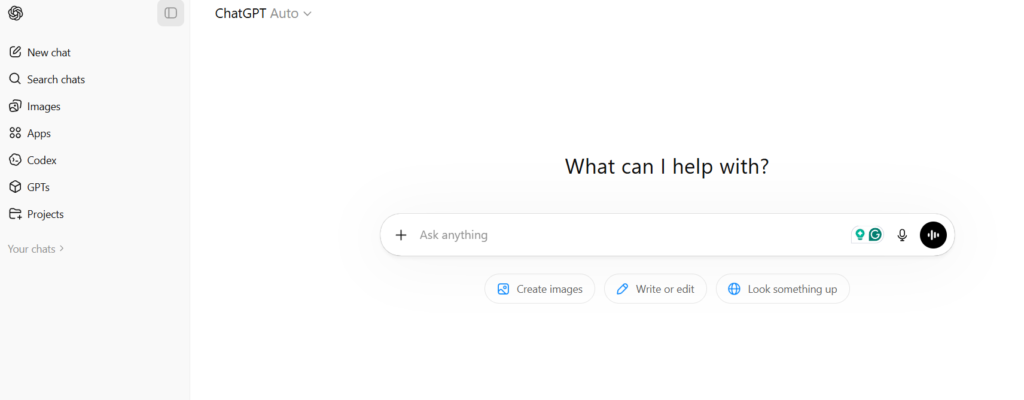
ChatGPT is one of the most powerful AI tools available for students today. It can explain complex topics, generate study notes, help structure essays, and create practice questions for exams. Students use ChatGPT as a personal AI study assistant to better understand subjects and organise their ideas.
Grammarly AI writing assistant dashboard
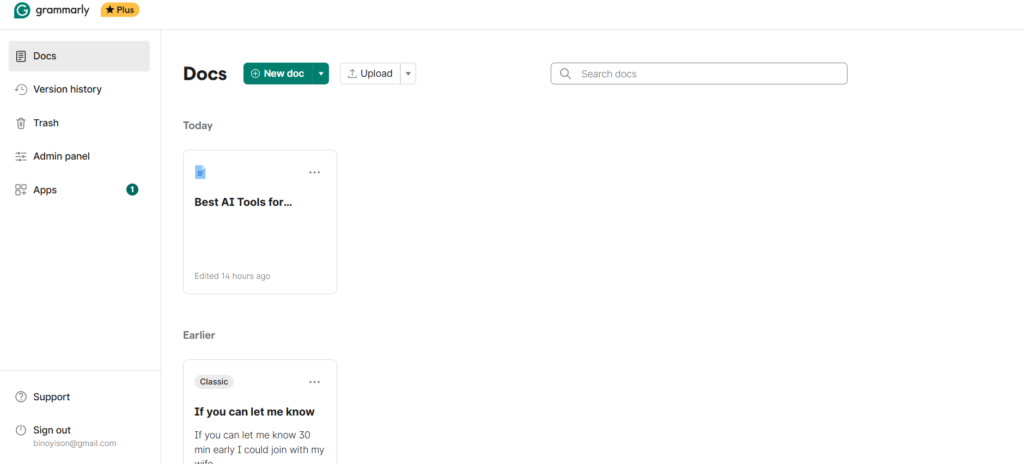
Grammarly is an AI writing assistant that helps students improve grammar, clarity, and writing style. It reviews essays and assignments in real time, suggesting corrections and improvements. Grammarly is especially useful for proofreading essays before submission.
Notion AI workspace for student notes and organisation
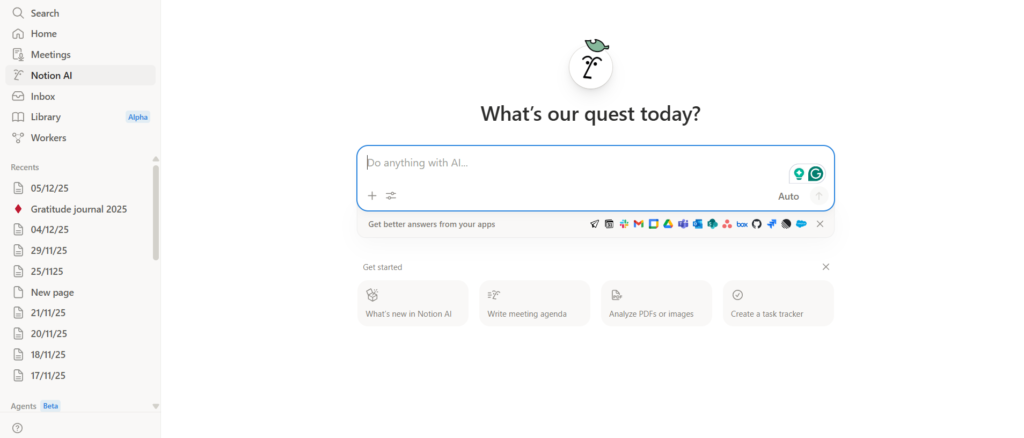
Notion AI helps students organise notes, assignments, and study plans in one place. It can summarise lecture notes, generate to-do lists, and improve written content inside your workspace. This makes it a powerful productivity tool for managing multiple subjects.
QuillBot AI paraphrasing tool interface
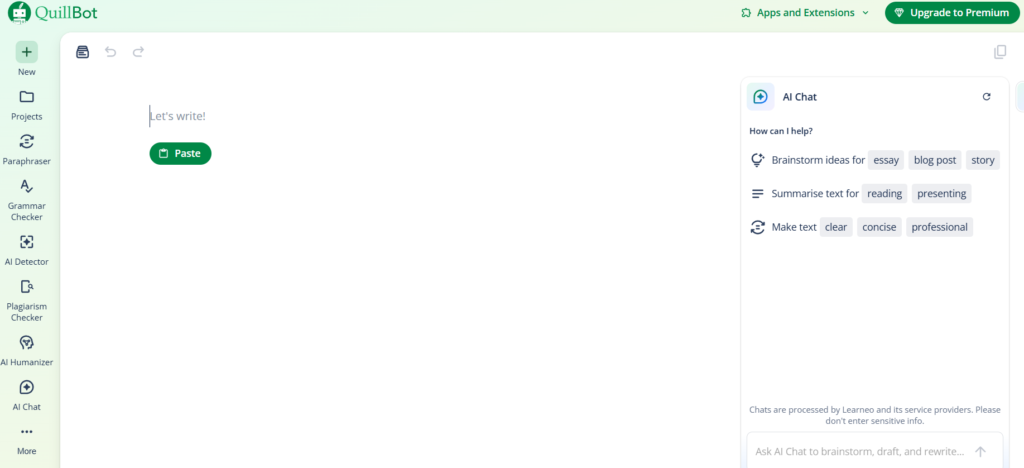
QuillBot is widely used by students for paraphrasing and rewriting text. It helps transform sentences while keeping the original meaning, making it useful for research essays and assignments. The tool also includes grammar checking and summarisation features.
Perplexity AI research assistant interface
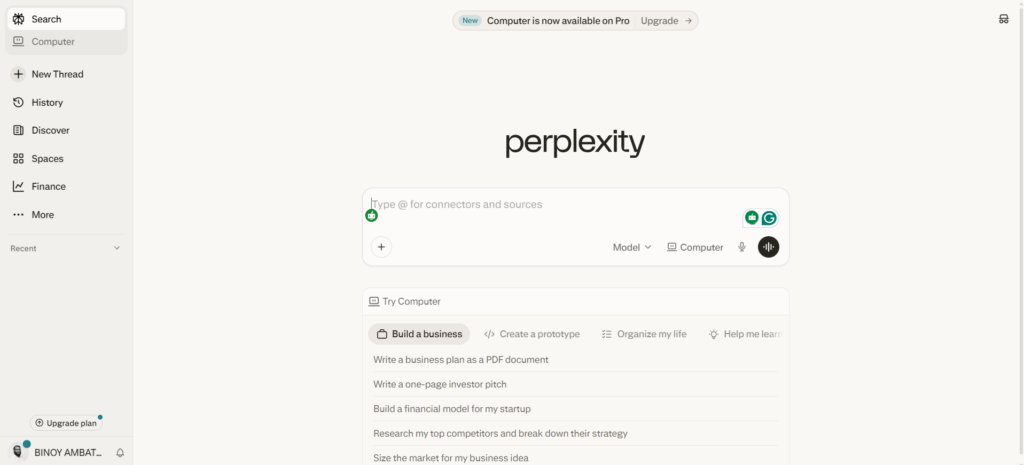
Perplexity AI is an AI-powered research assistant that answers questions using real-time web sources. Unlike many chatbots, it provides citations and links to the information it uses. This makes it particularly useful for students conducting academic research.
Khanmigo AI tutor from Khan Academy
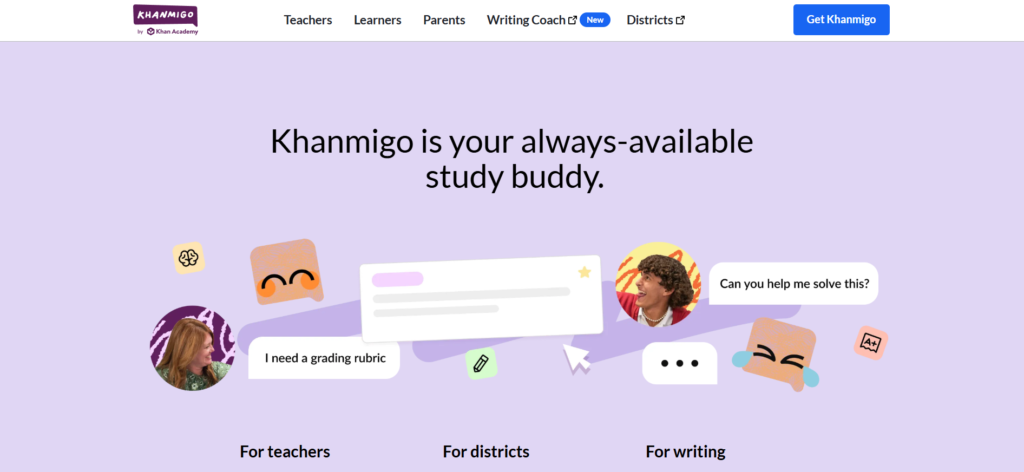
Khanmigo is an AI tutor developed by Khan Academy to help students learn step by step. Instead of simply giving answers, it guides students through problems and encourages critical thinking. It is especially helpful for subjects like mathematics and science.
Otter AI lecture transcription interface
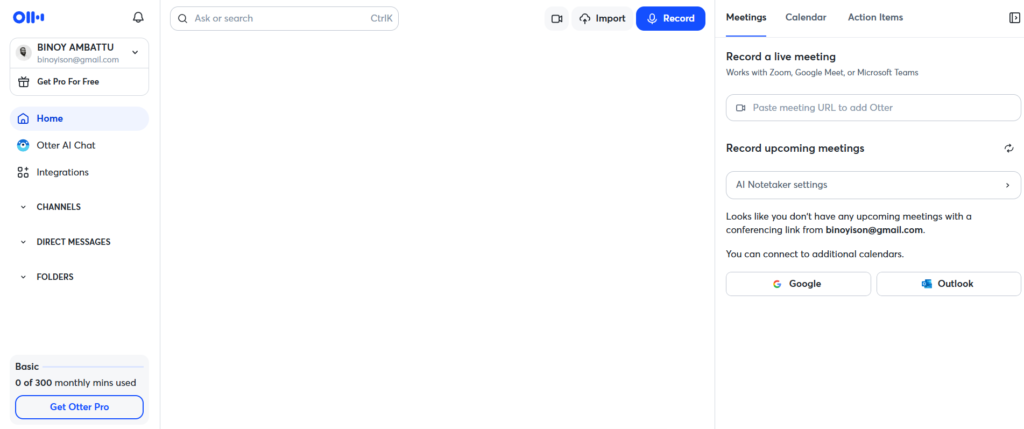
Otter.ai is an AI note-taking tool that automatically records and transcribes lectures. Students can search transcripts, review summaries, and highlight key points after class. This helps improve lecture comprehension and revision efficiency.
Google Gemini AI assistant interface
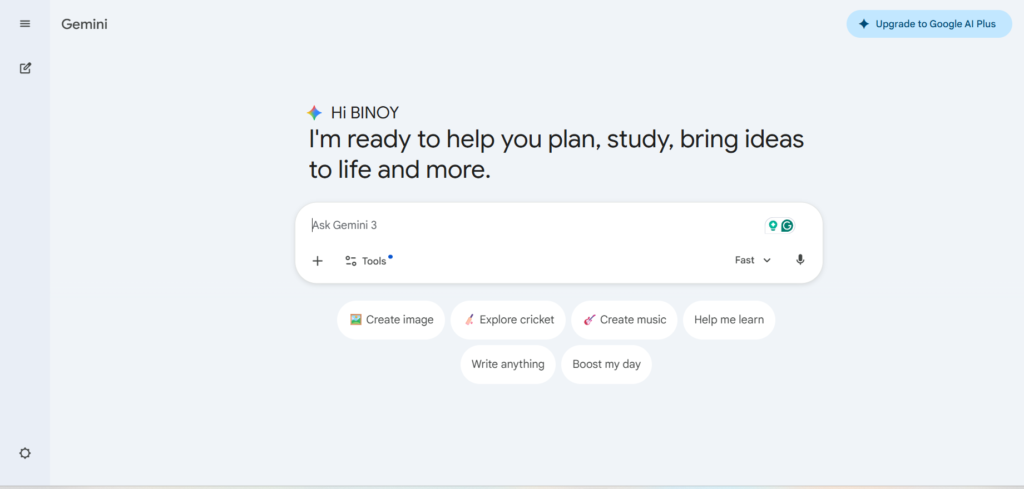
Google Gemini is Google’s AI assistant integrated with tools like Google Docs, Gmail, and Drive. It helps students write documents, summarise files, and research information more efficiently. Its deep integration with Google Workspace makes it convenient for many students.
Rytr AI writing tool dashboard
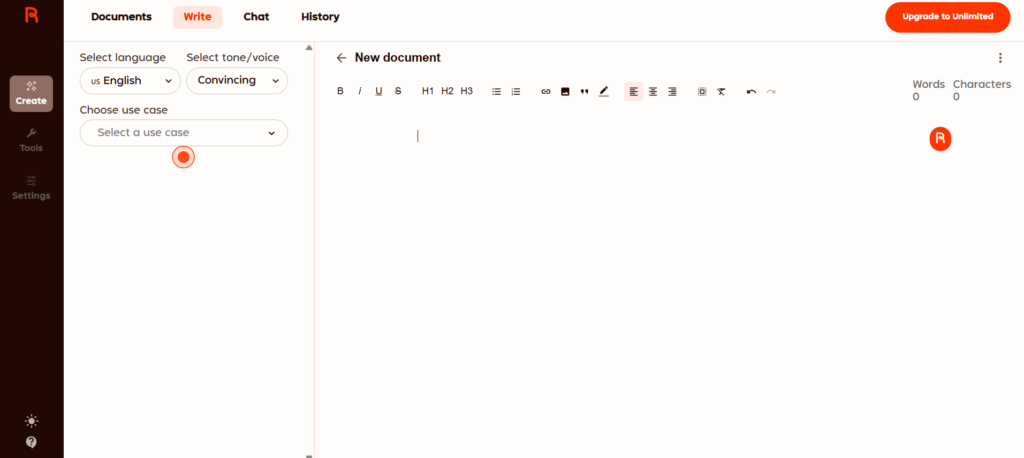
Rytr is an affordable AI writing tool that helps students generate essays, summaries, and emails quickly. It supports multiple writing tones and languages, making it useful for international students and beginners who need writing assistance.
Writesonic AI writing platform interface
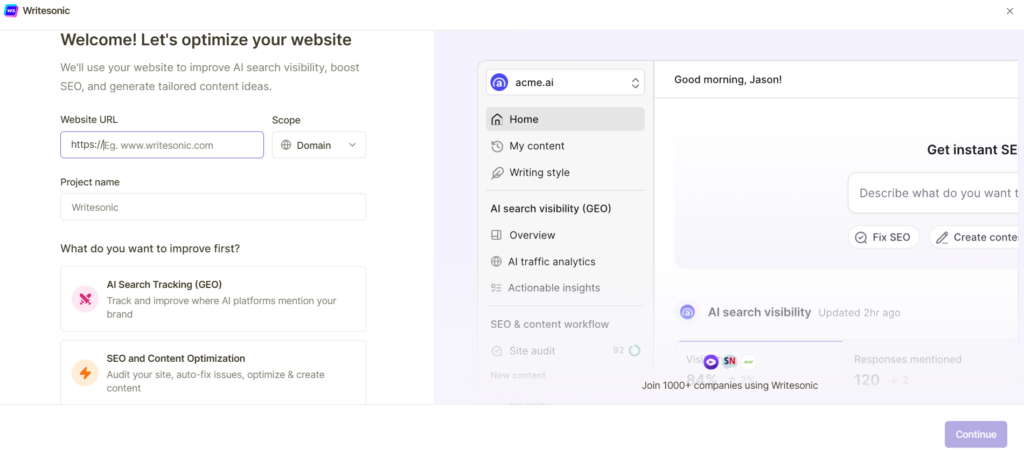
Writesonic is an AI content generation platform that can help students create structured essays and research drafts. Its Chatsonic feature uses real-time web search to provide updated information, making it useful for research-based assignments.