
Introduction: School Leadership Has Become an Administrative Marathon
The demands on school leaders have never been heavier.
Principals, headteachers, and administrators are managing larger staff teams, more complex compliance requirements, higher volumes of stakeholder communication, and increasing pressure to demonstrate measurable outcomes — all while maintaining the strategic focus that effective leadership requires.

Most school leaders spend less than 30% of their working week on strategic priorities. The rest is consumed by administrative tasks, communication workflows, data compilation, and reporting cycles that are necessary but not where leadership expertise adds the most value.
The best AI tools for school leaders in 2026 are changing this dynamic. They handle the administrative production work — drafting communications, summarising data, transcribing meetings, generating reports — so that more leadership time goes to the strategic, relational, and developmental activities that drive school improvement.
This guide reviews the most impactful AI tools for school administrators available today — evaluated for institutional benefit, data privacy, ease of adoption, and real-world impact on leadership workload.
⚡ Featured Snippet: What Are AI Tools for School Leaders?
AI tools for school leaders are software applications powered by artificial intelligence that assist principals, headteachers, and school administrators with time-consuming leadership tasks — including communication drafting, meeting transcription, data analysis, report generation, staff documentation, and strategic planning support.

Unlike classroom-facing AI tools for schools, leadership-focused AI tools address the institutional and operational layer of school management — helping senior leaders make faster decisions, communicate more effectively with stakeholders, and reduce the administrative burden that competes with strategic priority time.
🏆 Top AI Tools for School Leaders in 2026
Here is the complete list before the detailed reviews:
- ChatGPT — Best all-purpose AI assistant for school leadership tasks
- Notion AI — Best for school management documentation and planning
- Grammarly — Best for professional communications and stakeholder writing
- Otter.ai — Best for meeting transcription and minute-taking automation
- Canva AI — Best for school communications, presentations, and parent materials
- Microsoft Copilot — Best for schools using Microsoft 365 ecosystem
- Google Gemini — Best for schools using Google Workspace for Education
- Tableau / Looker Studio — Best for school performance data analysis
📊 Comparison Table: Best AI Tools for School Leaders in 2026
| Tool | Best For | Pricing | Key Feature | Leadership Benefit |
|---|---|---|---|---|
| ChatGPT | All-purpose leadership tasks | Free / $20/mo | Multi-task content generation | Saves hours on communications and planning docs |
| Notion AI | Documentation and organisation | Free / $10/mo | AI note summarisation | One workspace for all leadership planning |
| Grammarly | Professional stakeholder writing | Free / $12/mo | Tone + clarity analysis | Every communication reflects institutional quality |
| Otter.ai | Meeting transcription and records | Free / $16.99/mo | Real-time speaker identification | Automatic accurate meeting minutes |
| Canva AI | Visual communications and design | Free / $15/mo | Magic Design + AI generation | Professional materials without design resources |
| Microsoft Copilot | Microsoft 365 integration | Included / $30/mo | Works inside Word, Excel, Teams | AI inside every tool the school already uses |
| Google Gemini | Google Workspace integration | Free / $19.99/mo | Built into Docs, Drive, Gmail | AI inside existing Google school ecosystem |
| Looker Studio | Data analysis and dashboards | Free | Connected data visualisation | Real-time performance dashboards, no analyst needed |
Best AI Tools for School Leaders in 2026 — Full Reviews

ChatGPT — Best All-Purpose AI Assistant for School Leaders
What it does:
Developed by OpenAI, ChatGPT is the most versatile AI tool available to school leaders. It drafts staff communications, generates policy document frameworks, summarises inspection preparation notes, produces parent newsletter content, writes improvement plan sections, and assists with any written leadership task across any topic area.
Key features:
- Policy and procedure document drafting from a brief description
- Staff briefing, memo, and update communication generation
- Ofsted/inspection framework analysis and preparation support
- Parent communication drafting across multiple formats
- School development plan section generation and refinement
- Data interpretation and written summary production
- Meeting agenda and action plan generation
How leaders use it:
A deputy headteacher uses ChatGPT to draft the termly parent newsletter, generate a staff CPD briefing document, produce a first draft of the school’s new safeguarding communication policy, and summarise the key findings from a recent staff wellbeing survey — across a single Friday morning rather than spreading these tasks across the following week.
Institutional benefit:
The highest-value use of a school leader’s time is strategic thinking and relationship management, not document production. ChatGPT handles the production layer, freeing leadership capacity for the activities that genuinely require professional expertise.
Pricing: Free (GPT-4o access). ChatGPT Plus: $20/month.
Best for: All school leaders and administrators regardless of school type or phase.
👉 Try ChatGPT to reclaim hours spent on document production each week →
Notion AI — Best for School Management Documentation and Planning
What it does:
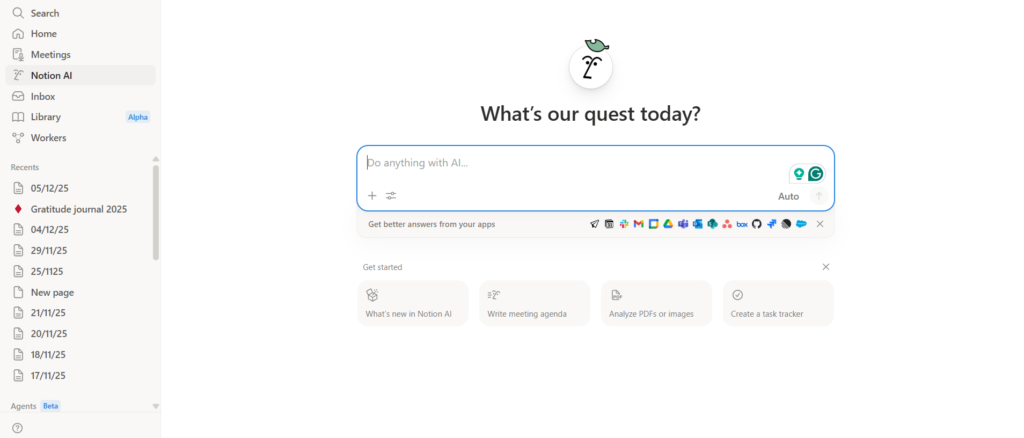
Notion AI combines a highly flexible workspace with an AI layer that reads, summarises, generates, and organises content. For school leaders managing school improvement plans, staff records, committee documentation, policy libraries, and strategic planning materials, it functions as an intelligent, searchable institutional knowledge base.
Key features:
- School improvement plan and action plan organisation with AI summarisation
- Staff meeting notes and CPD record tracking
- Committee and governance documentation management
- Policy library organisation with AI-assisted updating
- Deadline tracking and leadership calendar management
- AI-generated summaries of complex strategic documents
- Shared workspaces for senior leadership team collaboration
How leaders use it:
A headteacher maintains the entire school improvement cycle in Notion — priority areas, lead responsibilities, progress milestones, and evidence links all in one connected workspace. Notion AI summarises the week’s leadership updates into a Monday briefing document automatically and drafts progress summaries for governor reports from the underlying data.
Institutional benefit:
Leadership knowledge and planning documentation is fragmented across email threads, shared drives, and paper systems in most schools. Notion AI consolidates this into one searchable, AI-assisted system — reducing information loss, improving handover quality, and supporting continuity planning.
Pricing: Free plan available. AI add-on: $10/month.
Best for: Senior leadership teams, business managers, governance leads, and improvement planning coordinators.
👉 Try Notion AI to consolidate your school’s leadership documentation in one place →
Grammarly — Best for Professional Stakeholder Communications
What it does:
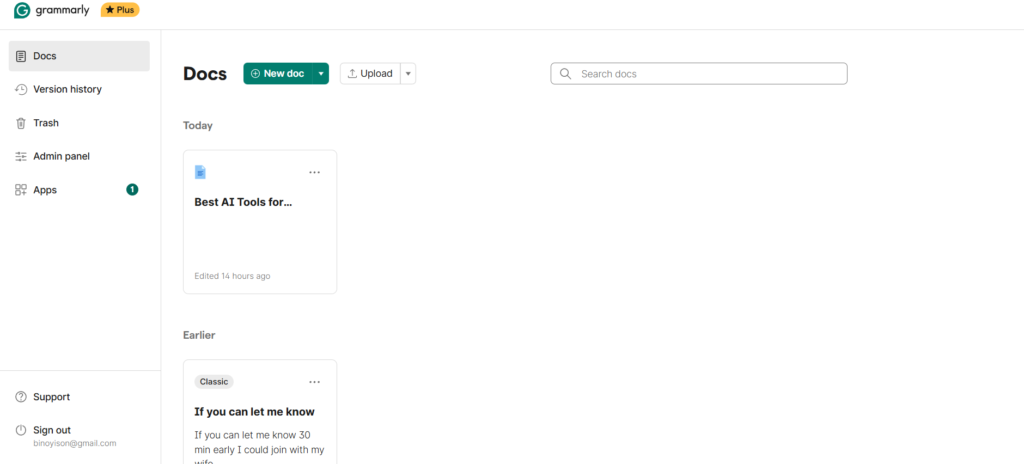
Grammarly reviews written text in real time for grammar, tone, clarity, and structural quality. For school leaders responsible for communications to parents, governors, local authority officers, Ofsted inspectors, and community stakeholders, it ensures every piece of written output reflects the institutional quality and professional standard that leadership positions require.
Key features:
- Real-time grammar, spelling, and punctuation corrections
- Tone analysis — flags overly formal, overly casual, or unclear passages
- Clarity and conciseness scoring with targeted rewrites
- Works inside Google Docs, Microsoft Word, Gmail, and all browsers
- GrammarlyGO for AI-assisted paragraph restructuring and improvement
- Plagiarism detection for policy documents and formal submissions
How leaders use it:
A school business manager installs Grammarly across all devices. Every parent communication, every governor report, every formal letter, and every external submission is automatically reviewed for quality before it leaves the school — with no additional time investment beyond installation.
Institutional benefit:
Communication quality directly influences stakeholder confidence in school leadership. A single poorly worded parent letter or ambiguous governor briefing can undermine trust that takes months to rebuild. Grammarly maintains consistently high communication standards across all written outputs.
Pricing: Free plan available. Grammarly Premium: $12/month.
Best for: All school leaders, business managers, communications leads, and office administrators producing external-facing written materials.
👉 Try Grammarly to ensure every stakeholder communication reflects your school’s professional standards →
Otter.ai — Best for Meeting Transcription and Administrative Records
What it does:
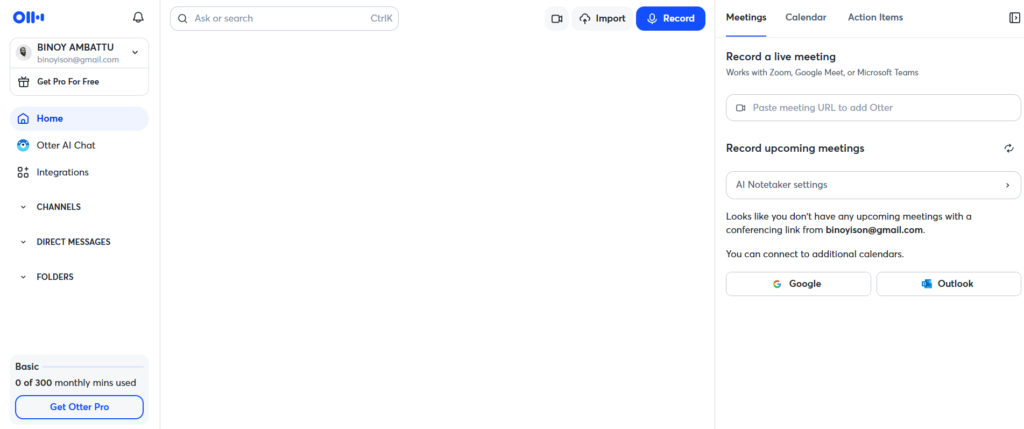
Otter.ai transcribes spoken audio to searchable, summarised text in real time — with speaker identification, timestamps, and automatic AI-generated summaries. For school leaders running multiple meetings per week, it eliminates the manual note-taking burden and ensures accurate, legally defensible records of key discussions.
Key features:
- Real-time transcription with speaker identification and timestamps
- Automatic AI summary generated after every meeting
- Full-text keyword search across all saved transcripts
- Integration with Zoom, Google Meet, and Microsoft Teams
- Export as text, PDF, or shareable link for governance records
- Mobile recording for informal observation and walkthrough notes
How leaders use it:
A headteacher uses Otter.ai for every Senior Leadership Team meeting, every performance management conversation, every governor committee meeting, and every parent consultation appointment. Every meeting generates an automatic accurate record without a dedicated minute-taker. Governance records are complete, searchable, and available immediately.
Institutional benefit:
Accurate meeting records are a compliance and risk management necessity in school leadership. Otter.ai produces them automatically, reducing the administrative burden on minute-takers while improving accuracy and completeness. It also supports leaders in contested situations where a precise record of discussions is required.
Pricing: Free plan (300 minutes/month). Otter Pro: $16.99/month.
Best for: Headteachers, business managers, governors, SLT members managing high meeting volumes.
This is consistently identified as one of the most impactful AI productivity tools available to school leaders with heavy meeting schedules. Our AI productivity tools guide covers how Otter.ai fits into a broader leadership efficiency system.
👉 Try Otter.ai to generate accurate meeting records without a dedicated minute-taker →
Canva AI — Best for School Communications and Visual Materials
What it does:
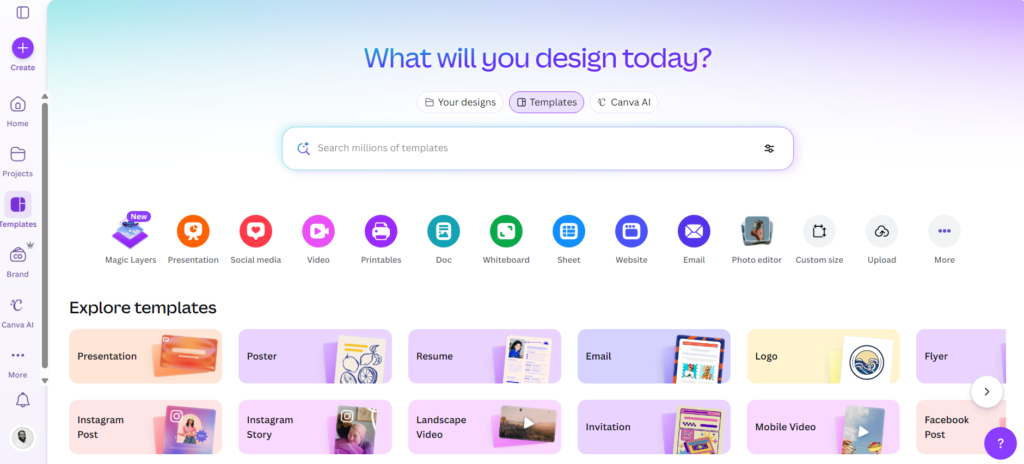
Canva’s Magic Studio AI suite enables school leaders to produce professional-quality parent newsletters, presentation decks, prospectus materials, staff briefing visuals, and governor reports — without design expertise or external design budget.
Key features:
- Magic Design: complete branded materials from a topic or text prompt
- AI image generation for unique, context-appropriate visuals
- School Brand Kit for consistent logo, colour, and font application
- Magic Write for AI copy generation inside design environments
- Thousands of education-appropriate templates for all communication types
- Collaboration tools for SLT and office team review before publication
How leaders use it:
A school communications lead uses Canva AI to produce the termly parent newsletter, new admissions prospectus spread, staff wellbeing week materials, and a presentation for the community consultation evening — across a single afternoon rather than contracting an external designer or spending days in PowerPoint.
Institutional benefit:
The visual quality of school communications influences parent and community perception of the school. Canva AI enables consistently professional materials without the cost of external design services or the requirement for specialist staff.
Pricing: Free plan available. Canva Pro: $15/month (education discounts at canva.com/education).
Best for: Headteachers, communications leads, office managers, and business managers responsible for public-facing school materials.
👉 Try Canva AI to produce professional school communications without a design budget →
Microsoft Copilot — Best for Microsoft 365 Schools
What it does:
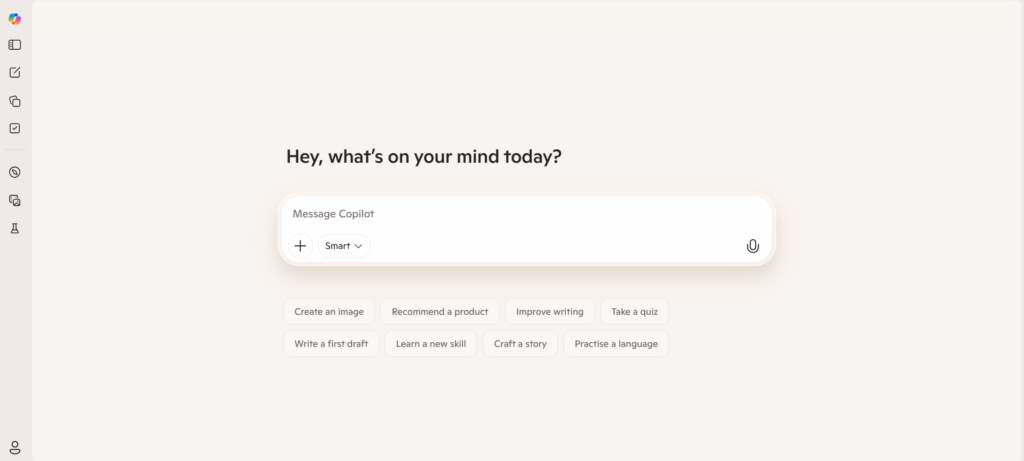
Microsoft Copilot integrates AI assistance directly into the Microsoft 365 tools most schools already use — Word, Excel, PowerPoint, Teams, and Outlook. It drafts documents, summarises emails, generates meeting notes inside Teams, and creates data visualisations from spreadsheet data — without requiring leaders to adopt any new platform.
Key features:
- AI document drafting and editing inside Microsoft Word
- Spreadsheet data analysis and chart generation inside Excel
- Email summarisation and smart reply drafting in Outlook
- Meeting transcription and action item extraction inside Teams
- AI presentation generation inside PowerPoint
- Copilot Pages for collaborative AI-assisted leadership documentation
How leaders use it:
A school business manager uses Copilot inside Excel to analyse three years of budget data and generate a visualised summary report for governors in 20 minutes. A headteacher uses Copilot in Teams to receive an AI-generated summary of a 90-minute SLT meeting — including action items and owners — without a separate transcription tool.
Institutional benefit:
For schools already invested in the Microsoft 365 ecosystem, Copilot adds transformative AI capability with zero additional software adoption. It represents the lowest-friction AI implementation path for Microsoft-native school environments.
Pricing: Included in some Microsoft 365 Education plans. Copilot Pro: $30/month for additional capability.
Best for: Schools operating primarily within Microsoft 365 — particularly those using Teams for staff communication and SharePoint for document management.
👉 Try Microsoft Copilot to add AI to every tool your school already uses →
Google Gemini — Best for Google Workspace Schools
What it does:
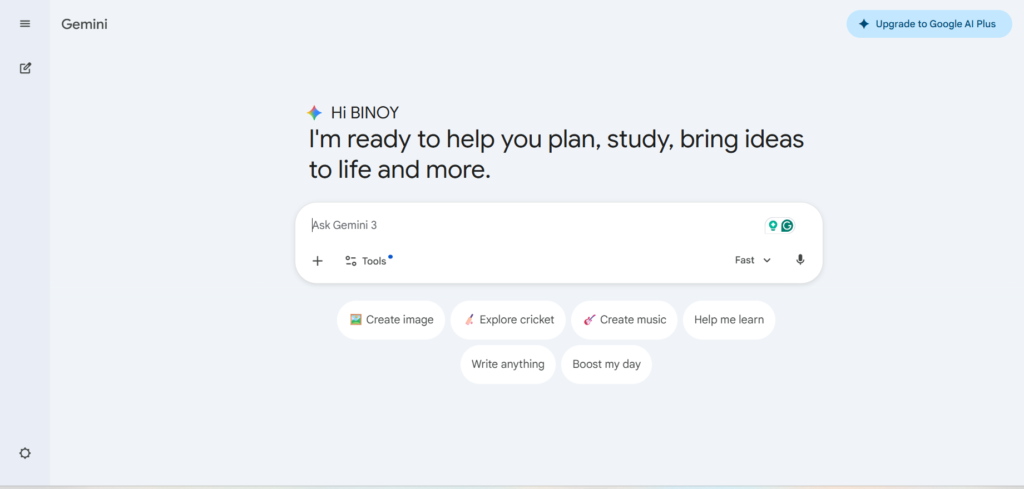
Google Gemini is integrated directly into Google Workspace for Education — appearing inside Google Docs, Drive, Gmail, and Sheets. It assists school leaders with document drafting, data interpretation, email management, and research without requiring any change to existing workflows.
Key features:
- AI writing assistance built into Google Docs for all leadership documents
- Document summarisation and intelligent search within Google Drive
- Smart email drafting, summarisation, and reply suggestions in Gmail
- Data analysis and chart generation inside Google Sheets
- Deep Research mode for curriculum policy and compliance research
- Google Classroom integration for school-wide communication management
How leaders use it:
A headteacher uses Gemini inside Google Docs to draft the school’s new SEND policy by describing the key requirements and asking Gemini to generate a structured first draft. She reviews, edits, and publishes within the same document — no platform switching, no formatting loss.
Institutional benefit:
For schools operating within Google Workspace for Education, Gemini represents AI capability at zero additional adoption cost. It arrives inside the tools leaders use every day — reducing the training and change management burden associated with new technology implementations.
Pricing: Free with Google Workspace for Education. Gemini Advanced: $19.99/month (check Workspace Education plan inclusions with your IT team).
Best for: Schools operating on Google Workspace for Education — particularly those using Google Classroom and Drive as primary platforms.
👉 Try Google Gemini to bring AI into your school’s existing Google environment →
Key Use Cases for School Leaders
AI for Administrative Efficiency
Administrative workload is the most consistent productivity drain reported by school leaders globally. AI tools address it at source.
ChatGPT reduces the time required to produce policy documents, staff communications, and planning frameworks from hours to minutes. Microsoft Copilot and Google Gemini extend AI assistance into every platform a school already uses — with no additional adoption requirement. Notion AI consolidates planning and documentation into one searchable, AI-assisted system.
The aggregate impact of AI adoption across administrative workflows is significant: most school leaders report 3–6 hours per week returned to strategic and relational priorities within the first month of consistent use.
AI for Communication and Reporting
School leaders communicate with a wide range of stakeholders — parents, staff, governors, local authority officers, inspectors, and community partners — each requiring different levels of formality, different content, and different formats.
Grammarly ensures every communication meets the required quality standard automatically. ChatGPT drafts communications for any audience from a brief description of the purpose and key messages. Canva AI produces visually professional versions of those communications for public-facing contexts.
Governor reporting — one of the most time-consuming communication responsibilities of a headteacher — is significantly reduced when ChatGPT drafts report sections from leadership notes and Notion AI maintains the underlying data in structured, accessible form.
AI for Staff Management
Performance management, CPD planning, professional development reviews, and staff communication all generate significant documentation requirements for school leaders.
ChatGPT drafts performance management targets, CPD programme outlines, and capability support plan frameworks. Otter.ai transcribes performance review conversations automatically, creating accurate records that protect both the school and the staff member. Notion AI maintains staff development records and tracks CPD completion across the whole school workforce.
The combination of these tools reduces the administrative burden of staff management cycles without reducing the quality or rigour of the professional development process.
AI for Data Analysis and Decision-Making
School leaders are expected to make evidence-based decisions using data from multiple sources — attendance, attainment, behaviour, SEND caseload, staffing, finance. Pulling this data together and drawing meaningful conclusions manually is a significant time investment.
Google Looker Studio (free) connects school data sources and generates visual dashboards that update automatically — giving leaders real-time performance visibility without manual compilation. Microsoft Copilot inside Excel provides natural language data analysis — describe what you want to understand from your spreadsheet, and Copilot generates the analysis and visualisation.
These tools support faster, more confident decisions based on better-organised evidence — a direct improvement to strategic leadership quality.
Free AI Tools for Schools — Budget-Conscious Options
Budget constraints are a reality for most schools. The good news is that several of the most impactful AI tools on this list have genuinely functional free tiers.
| Tool | Free Tier Value | Primary Limitation |
|---|---|---|
| ChatGPT | High — GPT-4o for all leadership tasks | Peak-hour usage caps occasionally |
| Grammarly | High — grammar and clarity across all platforms | Advanced tone analysis and plagiarism require Premium |
| Canva | Good — templates and basic AI tools | Magic Design and AI image gen require Pro |
| Otter.ai | Moderate — 300 minutes/month | Restricts use to approximately 10 meetings |
| Notion | Good — core workspace features | AI summarisation features require paid add-on |
| Google Gemini | High for Google schools — full integration | Advanced features in paid Workspace plans |
| Looker Studio | Fully free — complete platform | Requires some setup for data connections |
Practical recommendation: Start with ChatGPT, Grammarly, and Google Gemini or Microsoft Copilot (depending on your existing platform) — all available at zero cost. These three tools alone address the majority of school leader AI use cases before any budget commitment is required.
How to Choose the Best AI Tools for School Leaders
Start with the platform you already use. The highest-adoption path is AI that arrives inside existing tools. If your school is a Google school, start with Gemini. If you use Microsoft 365, start with Copilot. Zero adoption friction means faster institutional buy-in and faster realisation of benefits.
Prioritise data privacy and compliance. Before any AI tool is used with identifiable student or staff data, verify GDPR compliance and data processing agreements. Most major platforms (Microsoft, Google, Notion) have explicit educational data protection commitments. Smaller or less established tools should be evaluated carefully before use with personal data. AI tools used only with anonymised data — for drafting, research, or communication template creation — carry significantly lower compliance risk.
Evaluate ease of adoption for non-technical staff. The best AI tool for your school is the one your team will actually use. Tools that require significant training or workflow change face institutional resistance. ChatGPT, Grammarly, and platform-native tools (Copilot, Gemini) have near-zero learning curves for most users.
Consider staff training requirements. AI adoption at scale requires at least basic training on appropriate use, quality checking of AI output, and organisational guidelines on which tasks AI may and may not assist with. Build a simple AI usage policy before rolling tools out institutionally — this protects the school and builds staff confidence.
How AI Improves School Management
The institutional case for AI in education leadership rests on four measurable improvements.
Efficiency. AI tools reduce time-per-task across administrative, communication, and documentation workflows. The cumulative weekly saving across a senior leadership team adopting two to three tools consistently is typically 10–20 hours — capacity that can be redirected to school improvement priorities.
Communication quality. AI tools raise the baseline quality of written communications across the school. When every parent letter, governor report, and staff briefing is reviewed for clarity and tone before publication, stakeholder confidence in school leadership improves measurably.
Decision-making speed and quality. Real-time data dashboards, AI-assisted analysis, and structured evidence bases reduce the time required to compile information for decisions — and improve the quality of the evidence available when decisions need to be made.
Cost efficiency. Reducing reliance on external design services, minute-taking support, and administrative staffing through AI tools produces cost savings that offset tool subscription costs many times over. Schools investing $100–$300/month in AI tools typically identify savings of $500–$2,000/month in equivalent external or administrative costs.
Conclusion: Strategic AI Adoption Starts at the Leadership Level
AI tools for school leaders are not a future consideration. They are a present-day operational advantage for the schools that choose to adopt them strategically.
The leaders who benefit most from AI tools are not those who use them as a novelty — they are those who identify the specific workloads consuming disproportionate leadership time, adopt the AI tools that address those workloads directly, and build institutional habits around consistent use.
Recommended starting path:
- Start with ChatGPT or your platform-native AI (Gemini or Copilot) — both free
- Add Grammarly for all external communications — free tier is sufficient
- Pilot Otter.ai for SLT and governor meetings for one term
- Build a simple AI usage policy to guide institutional adoption
- Review time savings after 60 days and expand from there
The schools pulling ahead in operational efficiency, stakeholder communication quality, and data-informed decision-making in 2026 are the ones that made these decisions at the leadership level — and built the systems to sustain them.
For a complete view of how AI is supporting educators across your school, explore our detailed guides on the best AI tools for teachers in 2026 and the best AI tools for students in 2026 — both cover the tools that complement the leadership platforms reviewed here.
To improve results, read our AI prompt engineering guide.
Explore the best AI tools for productivity.
Learn automation from AI automation workflows.
You can monetize using how to make money with AI.
Frequently Asked Questions
Are AI tools safe for schools to use?
Most reputable AI tools are safe for use in schools when appropriate data governance practices are followed. For tasks using no personal data — drafting communications, researching policy frameworks, generating templates — most tools are safe to use freely. For tasks involving identifiable student or staff information, verify GDPR compliance and data processing agreements before use. Microsoft and Google Workspace for Education both publish explicit data protection commitments for educational institutions.
What are the best AI tools for school administrators?
The best AI tools for school administrators in 2026 are ChatGPT for all-purpose document and communication drafting, Otter.ai for meeting transcription and records, Grammarly for communication quality, Notion AI for documentation management, and either Microsoft Copilot or Google Gemini depending on your existing platform. Most have free plans suitable for immediate adoption.
Are there free AI tools available for schools?
Yes — significantly. ChatGPT’s free GPT-4o tier, Google Gemini (included in Google Workspace for Education), Microsoft Copilot (included in many Microsoft 365 Education plans), Grammarly’s free tier, Canva’s free templates, and Google Looker Studio (fully free) collectively cover the core AI needs of most school leadership teams at zero additional cost.
What are the main challenges of implementing AI in schools?
The primary implementation challenges are: data privacy compliance (ensuring tools meet GDPR and FERPA requirements before use with personal data), staff adoption (ensuring training and clear usage guidelines), quality verification (establishing that all AI output is reviewed before use), and developing an institutional AI usage policy that sets appropriate boundaries. These challenges are all manageable with proper planning — most schools that approach implementation strategically report strong adoption within a single term.
How can AI tools help with Ofsted or inspection preparation?
ChatGPT is particularly valuable for inspection preparation — it can generate self-evaluation framework section drafts from leadership notes, produce stakeholder communication templates aligned to inspection criteria, summarise evidence for the school development plan, and help leaders prepare structured responses to common inspection lines of enquiry. All AI-generated content should be reviewed and verified against actual school evidence before use.
Recommended Images for SEO
| Image Idea | Recommended ALT Text |
|---|---|
| School leader at desk with AI interface on screen | best AI tools for school leaders working in 2026 |
| SLT meeting with AI transcription running on laptop | AI tools for school administrators meeting transcription 2026 |
| School data dashboard generated by AI on monitor | AI for school management data dashboard and analytics 2026 |
| Principal reviewing AI-drafted parent communication | best AI tools for school communication and parent letters 2026 |
| Side-by-side of manual vs AI-assisted report preparation | AI in education leadership saving time on governor reports |
| School leadership team using multiple AI tools collectively | AI tools for schools senior leadership team adoption 2026 |