
The best free AI tools in 2026 are genuinely powerful — and most people have no idea how many of them are available right now at zero cost.

You do not need a subscription budget or a technical background to start using artificial intelligence productively. From writing assistants to image generators to video creation platforms, the best free AI tools available today are changing how students, freelancers, small business owners, and professionals work every single day.
This guide covers the 7 most useful free AI tools available right now — reviewed honestly, compared clearly, and explained in plain language so you can start using them today.
Looking to earn from your AI skills as well? Our guide on how to make money with AI covers every accessible income method for 2026.
⚡ What Are Free AI Tools?
Free AI tools are software applications powered by artificial intelligence that are available to use at no cost — either permanently through a free plan, or through a free trial with enough access to deliver genuine value.
The best free AI apps in 2026 include writing assistants, image generators, video creators, design platforms, and productivity tools — all accessible from a browser, all requiring nothing more than an email address to start.
🏆 Best Free AI Tools in 2026 — Quick List
Before the detailed reviews:
- ChatGPT — Best all-purpose AI assistant
- Canva AI — Best for design and visual content
- Grammarly — Best for writing quality and editing
- Notion AI — Best for notes and organisation
- Copy.ai — Best for marketing copy and captions
- Pictory AI — Best for turning text into video
- Leonardo AI — Best for AI image generation
All seven have functional free plans. All can be started today without a credit card.
These free AI tools are ideal for beginners who want to improve productivity without spending money.
📊 Comparison Table: Best Free AI Tools 2026
| Tool | Best For | Free Plan | Standout Feature |
|---|---|---|---|
| ChatGPT | All-purpose AI tasks | Yes (GPT-4o) | Conversational, works for anything |
| Canva AI | Visual content creation | Yes | Magic Design from text prompts |
| Grammarly | Writing improvement | Yes | Real-time tone + clarity feedback |
| Notion AI | Notes and organisation | Yes (limited) | AI summarisation of your own notes |
| Copy.ai | Marketing copy | Yes | 90+ copy templates for every format |
| Pictory AI | Script-to-video | Free trial | Auto video assembly from text |
| Leonardo AI | Image generation | Yes (daily credits) | High-quality images from text |
Best Free AI Tools in 2026 — Full Reviews
1. ChatGPT — The Most Useful Free AI Tool for Beginners
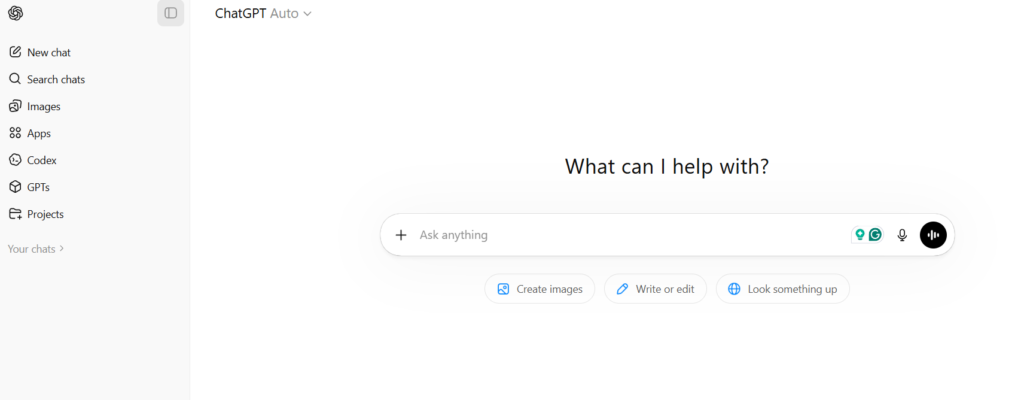
ChatGPT by OpenAI is the most versatile of all the free AI tools available in 2026. Its free tier now includes GPT-4o — the same model that powered the paid tier just two years ago.
What it does:
ChatGPT answers questions, writes content, summarises documents, generates ideas, debugs code, translates languages, and assists with virtually any written task — through a simple conversational interface.
Key features:
- Answers questions on any topic in clear, plain language
- Drafts emails, reports, essays, and social media posts
- Summarises long documents into concise bullet points
- Generates business ideas, content plans, and creative briefs
- Explains complex concepts at any level of detail
- Supports over 50 languages
Why it is useful:
There is no better starting point for anyone new to AI tools for beginners. The conversational format means no learning curve — you simply describe what you need and receive useful output immediately.
Best for:
- Students drafting and researching assignments
- Freelancers writing proposals and client communications
- Small business owners producing content without a copywriter
- Anyone wanting to explore free AI software without commitment
👉 Try ChatGPT free at openai.com/chatgpt →
2. Canva AI — Best Free AI Tool for Visual Design
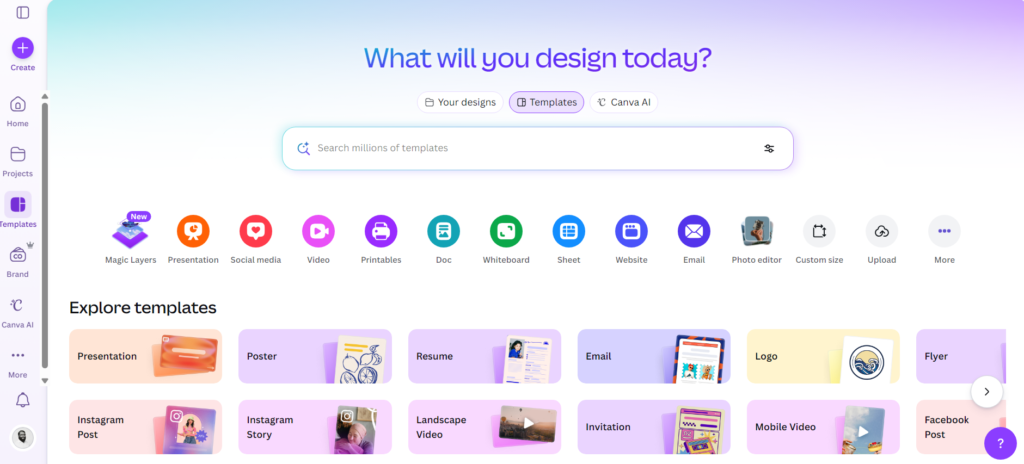
Canva is the world’s most popular design platform — and its free AI suite makes professional-quality visual content accessible to everyone.
What it does:
Canva’s AI tools generate complete designs from text descriptions, remove image backgrounds automatically, create branded templates, and produce social media graphics, presentations, and marketing materials without any design experience.
Key features:
- Magic Design: generates a complete, styled layout from a text prompt
- AI background remover for clean, professional images
- Thousands of templates across social media, presentations, and marketing
- AI image generation for unique, royalty-free visuals
- Brand Kit for consistent colours, fonts, and logos
- Collaboration tools for teams and client review
Why it is useful:
AI content creation tools like Canva eliminate the need for a designer. For creators, marketers, and business owners who need consistent visual content, the free tier covers most everyday needs.
Best for:
- Content creators designing thumbnails and social graphics
- Small businesses producing marketing materials on a budget
- Students building presentations and portfolios
- Free AI tools for students and educators that deliver professional results — one of the strongest free AI tools for students in any curriculum
👉 Start designing free at canva.com →
3. Grammarly — Best Free AI Tool for Writing
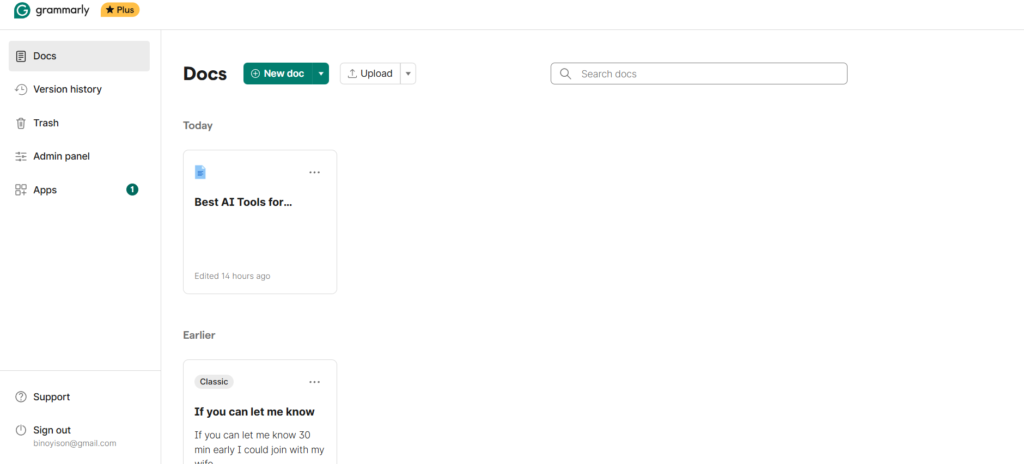
Grammarly is the most widely used free AI app for writing improvement — and in 2026, it has evolved into a genuine AI writing assistant rather than just a spell checker.
What it does:
Grammarly reviews your writing in real time for grammar, spelling, clarity, tone, and structure — providing specific suggestions to improve every piece of written communication you produce.
Key features:
- Real-time corrections for grammar, spelling, and punctuation
- Tone detection — flags when writing sounds unclear, harsh, or off-brand
- Clarity scoring with targeted rewrite suggestions
- GrammarlyGO for AI-assisted paragraph improvement
- Works inside Google Docs, Word, Gmail, and any browser
- Free tier covers core grammar and clarity checking
Why it is useful:
Every professional email, client proposal, and published article reflects your credibility. Grammarly ensures your writing meets the standard you intend — without requiring a human editor.
Best for:
- Professionals writing client-facing communications
- Students improving academic writing quality
- Non-native English speakers writing in English professionally
- Free AI tools for business communication and documents
👉 Install Grammarly free at grammarly.com →
4. Notion AI — Best Free AI Tool for Organisation
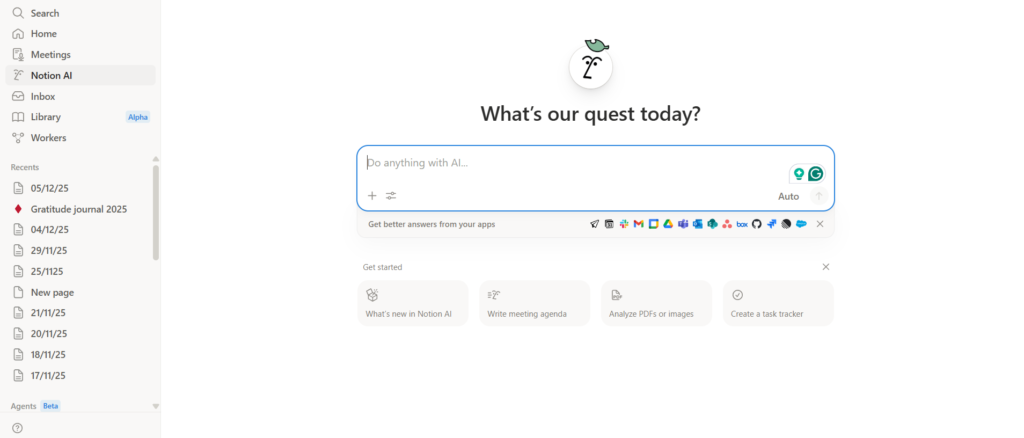
Notion is the most complete free workspace tool available — and Notion AI transforms it into an intelligent organisational assistant that works directly inside your existing notes and projects.
What it does:
Notion AI summarises long documents, generates structured plans and to-do lists from rough descriptions, rewrites existing content, and helps you think through projects — all without leaving your workspace.
Key features:
- AI document and note summarisation in one click
- Generates structured outlines and action plans from brief descriptions
- Rewrites and improves existing text for clarity or tone
- Creates tables, lists, and structured content automatically
- Translates content into multiple languages
- Works across desktop and mobile in real time
Why it is useful:
For anyone managing multiple projects, notes, or client relationships, Notion AI is one of the most practical AI productivity tools available free. It brings intelligence to the documents you already have.
Best for:
- Freelancers managing multiple client projects
- Students organising research and coursework
- Teams collaborating on shared documentation
- Anyone building a personal knowledge base
For a full breakdown of how AI tools like Notion fit into a complete productivity system, see our AI productivity tools guide.
👉 Start organising with Notion free at notion.so →
5. Copy.ai — Best Free AI Tool for Marketing Content
Copy.ai is purpose-built for marketing copy — social media captions, email subject lines, product descriptions, ad headlines, and website content — with a free tier that covers most everyday marketing content needs.
What it does:
Copy.ai generates multiple variations of any marketing content type from a brief description — giving you options to choose from rather than starting from scratch every time.
Key features:
- 90+ templates covering every major marketing content format
- AI caption generator for Instagram, LinkedIn, TikTok, and X
- Email subject line generator with tone variations
- Product description writer for e-commerce listings
- Blog intro and outline generation
- Brand voice settings for consistent output
Why it is useful:
AI automation tools like Copy.ai save hours of marketing content production each week. For small businesses and content creators managing their own marketing, the free tier delivers enough output for regular use.
Best for:
- Small business owners managing their own social media
- E-commerce sellers writing product listings
- Freelancers offering content services to clients
- Free AI tools for business marketing, copywriting, and social media management — an essential in any free AI tools for business stack
👉 Start generating copy free at copy.ai →
6. Pictory AI — Best Free AI Tool for Video Creation
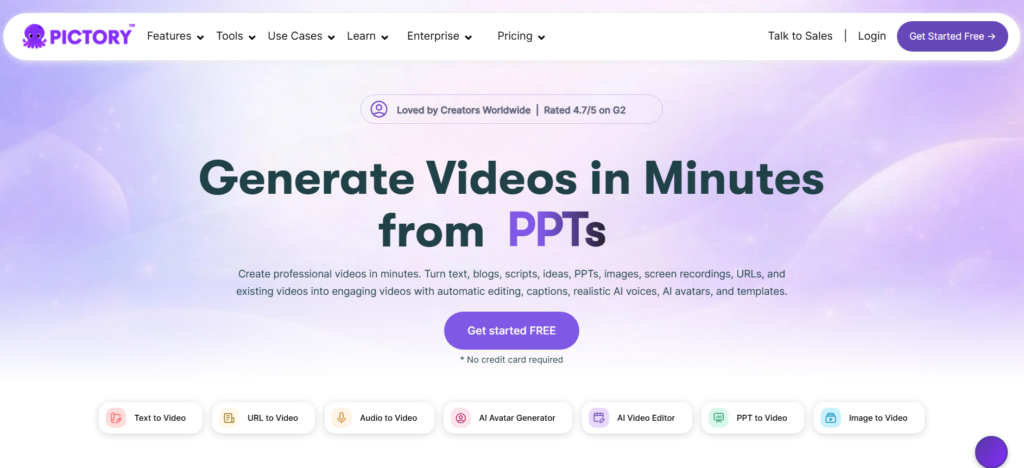
Pictory AI converts written text into complete, publishable videos — automatically assembling stock footage, captions, and transitions from a script or blog post, with no video editing experience required.
What it does:
Pictory takes a script or article and turns it into a professional-quality video — selecting relevant footage, synchronising captions, and applying transitions automatically.
Key features:
- Script-to-video conversion with automatic footage matching
- Access to a large library of licensed stock footage
- Automatic caption generation and synchronisation
- AI voiceover generation from text
- Brand template application for consistent video identity
- Export formats ready for YouTube, Instagram, and LinkedIn
Why it is useful:
Video content generates significantly higher engagement than text across most platforms — but traditional video production requires expensive software and editing skill. Pictory removes both barriers entirely.
Best for:
- Content creators repurposing blog posts into video content
- Businesses adding video to their marketing without a videographer
- Educators creating explainer content quickly
- Beginners building faceless YouTube channels using AI content creation tools
👉 Start creating video free at pictory.ai →
7. Leonardo AI — Best Free AI Tool for Image Generation
Leonardo AI is an AI image generator that creates original, high-quality images from text descriptions — with daily free credits that reset every 24 hours.
What it does:
You describe what you want — the subject, style, mood, and colours — and Leonardo generates multiple original images in seconds, with commercial usage rights on generated images.
Key features:
- High-quality image generation across multiple artistic styles
- Photorealistic, illustrated, and abstract style options
- Image-to-image generation for modifying existing visuals
- Daily free generation credits with automatic reset
- Active prompt community for inspiration
- Commercial licensing available on free-tier outputs
Why it is useful:
Original images add measurable value to websites, social media, and marketing content — but stock photography is generic and custom photography is expensive. Leonardo AI produces unique, on-brief images that neither limitation applies to.
Best for:
- Bloggers and content creators needing unique article images
- Social media managers producing visual content consistently
- Marketers creating campaign-specific imagery without a photographer
- Anyone exploring AI tools 2026 creative applications for the first time
👉 Start generating images free at leonardo.ai →
How to Choose the Right Free AI Tools
With seven tools reviewed above, choosing the right starting point comes down to one question: what task is taking the most of your time right now?
| If this is your challenge | Start here |
|---|---|
| Writing takes too long | ChatGPT or Grammarly |
| Design and visuals slow you down | Canva AI or Leonardo AI |
| Marketing copy is a bottleneck | Copy.ai |
| Organisation feels scattered | Notion AI |
| You want to create video content | Pictory AI |
Three practical tips:
1. Start with one tool. Adopting five tools simultaneously is overwhelming. Pick the one that addresses your biggest current challenge. Use it consistently for two weeks before adding anything else.
2. Use free tiers first. Every tool on this list delivers genuine value on the free plan. Do not pay for anything until you have confirmed through actual use that a specific paid feature would meaningfully improve your results.
3. Give it a real task. The fastest path to understanding what any AI tool can do is using it on something you actually need — not a test prompt, but a real email, a real image brief, or a real piece of content.
For a comprehensive overview of AI tools across every professional category, explore our guide on best AI tools for beginners.
Pros and Cons of Free AI Tools
Pros:
- Zero financial risk — Every tool on this list can be tested and used regularly without spending anything
- Immediate productivity gains — Most users experience meaningful time savings within the first week
- No technical knowledge required — All seven tools are designed for non-technical users
- Constantly improving — Free tiers in 2026 are more capable than paid tiers were in 2023
Cons:
- Usage limits — Free tiers have caps on words, images, or video exports per month
- Watermarks on some exports — Some free tools add branding to generated content
- Requires human review — AI output always needs checking before use — errors and inaccuracies are real limitations
- Privacy considerations — Input data is processed externally on most platforms — avoid sensitive personal information
⭐ Quick Picks: Best Free AI Tools by Profile
| Profile | Best Tool | Why |
|---|---|---|
| Complete beginner | ChatGPT | Conversational, works for anything, no learning curve |
| Student | Grammarly + Notion AI | Writing quality + organised notes |
| Small business owner | Canva AI + Copy.ai | Design and marketing content covered |
| Content creator | Leonardo AI + Pictory | Images and video without expensive software |
| Freelancer | ChatGPT + Grammarly | All-round writing and communication support |
Developers and technically-minded users looking to go further should explore our guide to the best AI coding tools — it covers the AI development tools that extend beyond everyday productivity.
Recommended Images for SEO
| Image | Suggested Description | ALT Text |
|---|---|---|
| Feature image | Person using free AI tools on laptop at desk | best free AI tools for beginners 2026 |
| Tools overview | Seven app logos displayed together | free AI tools 2026 overview comparison |
| ChatGPT interface | ChatGPT conversation window screenshot | free AI tools ChatGPT beginner guide 2026 |
| Canva AI design | Canva AI generating a social media graphic | free AI tools Canva design for beginners |
| Comparison section | Table comparison of free AI apps | best free AI apps compared 2026 |
Frequently Asked Questions
What are the best free AI tools in 2026?
The best free AI tools in 2026 include ChatGPT (all-purpose AI assistant), Canva AI (visual design), Grammarly (writing quality), Notion AI (organisation), Copy.ai (marketing copy), Pictory AI (video creation), and Leonardo AI (image generation). All have functional free plans with no credit card required.
Are free AI tools good enough for professional use?
Yes — for most everyday professional tasks, free tiers are sufficient. ChatGPT’s free GPT-4o tier handles the majority of writing, research, and ideation tasks. Grammarly’s free plan covers core grammar and clarity needs. Canva’s free tier provides access to thousands of professional templates. Most users only need paid plans when specific advanced features — like removing watermarks or accessing higher usage limits — become relevant.
Can beginners use AI tools without technical knowledge?
Absolutely. All seven tools in this guide are designed specifically for non-technical users. They work through plain-language text input — you describe what you need in normal English and the AI produces output. No coding, no setup, and no special training required.
Are free AI tools safe to use?
Generally yes, when using reputable tools like those reviewed here. The primary consideration is data privacy — most AI tools process your input through external servers and may use data for model training. Avoid inputting sensitive personal information (financial details, confidential business data, personal health information) into any AI tool. Check each platform’s privacy policy before use if data sensitivity is a concern.
How many free AI tools do I need?
For most beginners, two or three tools cover the majority of everyday needs. The recommended starting combination is ChatGPT for general tasks, Grammarly for writing quality, and Canva AI for design — all available at zero cost. Add specialist tools (Copy.ai for marketing, Pictory for video, Leonardo for images) as specific needs arise.
best AI tools for productivity
Conclusion: Start Using Free AI Tools Today
The best free AI tools in 2026 are not limited versions of paid software — they are complete, functional applications that deliver real, measurable value to anyone who uses them consistently.
As free AI tools continue to evolve, they are becoming essential for everyday work and business tasks.
The right starting combination for most beginners is ChatGPT + Grammarly + Canva. These three free AI apps cover writing, editing, and visual content — the three areas where most people lose the most time. All three are free. All three can be running by this afternoon.
In my experience, using AI tools like this reduced my work time significantly.
For example, I use this workflow daily for content and email generation.
Your action plan:
- Choose one tool from this list that addresses your biggest current challenge
- Sign up for the free account — takes under two minutes
- Use it on a real task today — not a test, but something you actually need
- Review the output, edit it, and notice what was useful
Once you have a feel for what one AI tool can do, every additional tool becomes easier to evaluate and adopt.
Explore more on AI Arena:
- Best AI tools for beginners — the complete starter guide
- How to make money with AI — income methods for 2026
- AI side hustles for beginners — start earning with AI tools
- AI productivity tools guide — build a complete AI workflow
Published on AI Arena — reviewing and comparing AI tools for productivity, creativity, and income growth. Updated March 2026.